
How to Create a Restaurant Menu That Sells: The Complete EU Guide
Your menu is your best salesperson — working every shift. Learn how menu engineering and pricing psychology increase restaurant profits by 10–15%, with EU market specifics in mind: allergens, multilingual support, and QR menus.
Your menu is the only salesperson who works every shift, never calls in sick, and speaks to every guest who walks through your door. Yet most restaurant owners treat it as an afterthought — simply a formatted price list updated only when costs rise or a dish runs out.
The gap between what your menu is and what it could be has a number: research consistently shows that applying menu engineering principles can increase gross profit per cover by 10–15% without attracting a single new customer, raising prices, or changing a single recipe.
For restaurant owners in the European Union, the stakes are even higher. You are managing a multilingual audience, complying with mandatory allergen disclosure requirements under EU law, and serving guests who increasingly want to browse your menu on a smartphone before they sit down.
What Is Menu Engineering — And Why Your Menu Is Costing You Money Right Now
The 30-Second Definition That Changes How You See Your Menu
Menu engineering is not graphic design. It is not choosing a nice font or printing your menu on expensive heavy card stock. It is a systematic analytical process: you evaluate every menu item against two criteria — how profitable it is per sale and how often guests order it — and then use that data to make deliberate decisions about item placement, description wording, price presentation, and visual emphasis.
The result is a menu that does not passively list your dishes. It actively steers guests towards the items that are most beneficial to your business, while making the process of choosing feel easy and natural.
"Your menu is not a catalogue. It is a sales instrument. Menu engineering is the discipline that makes it perform like one."
This discipline was formalised in 1982 by Michael Kasavana and Donald Smith at Michigan State University. They proposed classifying every menu item in a two-dimensional matrix based on profitability and popularity. Subsequent research at Cornell University's School of Hotel Administration built on this approach and produced some of the most-cited findings in restaurant management — including the discovery that descriptive menu labels alone can increase item sales by up to 27%, and that removing currency symbols from price displays increases the average guest spend by 8.15%.
10–15%
Potential gross profit increase per cover from menu engineering
GoFoodservice, RestaurantLaunchpad, Fead, MenuHoster, Servd, Popmenu — consistent across all sources reviewed
27%
Increase in dish sales from descriptive labels compared to plain names
Cornell University research, cited by multiple sources
8.15%
Increase in average guest spend after removing currency symbols from prices
Cornell University
How Much Money a Non-Engineered Menu Loses Every Week
Consider a typical example: a neighbourhood bistro in Lyon with 60 covers and a 40-item menu to which no menu engineering principles have been applied. The average cover spends €32.
The signature salmon dish sells for €24, with ingredient costs of €9.80 — a food cost of 40.8%. It sells reliably, so it sits in the middle of the mains section with a one-line description: "Salmon fillet with seasonal vegetables."
Meanwhile, a slow-roasted duck confit with lentils costs just €7.20 to produce and sells for €26. Its food cost is 27.7%, and its contribution margin is €3.20 higher per portion than the salmon. Yet in the menu it is listed third from the bottom of the mains under the name "Duck Confit" and sells half as often.
This dish belongs to the Puzzle category: it is highly profitable but underordered, because the menu gives it no advantage.
If the restaurant serves 200 covers per week, redirecting just 15 orders from salmon to duck adds approximately €48 in additional contribution margin per week. Over a year, that is nearly €2,500 from repositioning one dish and rewriting its description. Nothing in the kitchen changes.
The Founding Research: Kasavana, Smith and Cornell
Kasavana and Smith's 1982 work "Menu Engineering: A Practical Guide to Menu Analysis" established the terminology still used today: Stars, Plowhorses, Puzzles and Dogs.
Subsequent Cornell University research quantified the psychological mechanisms behind guest choices: how price display affects the perceived pain of spending, how language shapes the perception of taste, and how visual hierarchy determines what guests order.
Together, these studies give restaurateurs an unusually well-evidenced toolkit for a discipline that is often mistakenly treated as a matter of intuition.
How to Run the Menu Engineering Matrix — Step by Step
Step 1 — Pull Your Sales Data From Your POS System
The matrix requires two figures for every menu item:
- how many times it was sold in a given period;
- what net profit it generates after deducting ingredient cost.
Pull 30 to 90 days of sales data from your POS system. Longer periods smooth out weekly variation; shorter periods respond more quickly to seasonal shifts.
Export a report with the following data:
- dish name;
- number of sales;
- selling price.
This will be your base dataset for analysis.
Step 2 — Calculate Contribution Margin and Food Cost Per Item
Contribution Margin (CM) is the amount each sale contributes toward covering fixed costs and profit after subtracting ingredient cost.
Contribution Margin = Selling Price − Ingredient Cost
Food cost percentage (FC%) shows what proportion of the selling price goes to ingredients.
Food Cost % = (Ingredient Cost ÷ Selling Price) × 100
Worked Example — Salmon Dish
Selling price: €26.00
Ingredient cost: €8.50
Contribution Margin: €17.50
Food Cost %: 32.7%
For a full-service casual restaurant, the industry target for food cost is 28–35%.
At 32.7%, this dish is within range but approaching the upper boundary. A modest portion reduction or a €1.50 price increase would bring it to 29.2% without reducing perceived value.
Food Cost Targets by Restaurant Type
| Restaurant Type | Target Food Cost % | Notes |
|---|---|---|
| Fine Dining | 28–32% | Higher labour costs offset by premium pricing power |
| Full-Service Casual | 28–35% | Industry standard for sit-down service restaurants |
| Fast Casual | 25–32% | Lower labour costs allow slightly higher food cost tolerance |
| Café / Bakery | 25–35% | Highly dependent on beverage mix |
| Bar (food items only) | 30–40% | Offset by high beverage margins |
Perform this calculation for every item on your menu.
Then calculate two averages across your entire menu:
- average Contribution Margin;
- average popularity (the share of covers that ordered each dish as a percentage of total covers in the period).
Step 3 — Plot Each Item Into the Four-Quadrant Matrix
With your averages established, each dish falls into one of four quadrants:
- Above average CM + above average popularity = Star
- Above average CM + below average popularity = Puzzle
- Below average CM + above average popularity = Plowhorse
- Below average CM + below average popularity = Dog
The Menu Engineering Matrix
| Category | Popularity | Profitability | What It Means |
|---|---|---|---|
| Stars | High | High | Your best performers. Feature them prominently and protect their value. |
| Puzzles | Low | High | High potential being underused. Reposition, rename, or add a photo. |
| Plowhorses | High | Low | Guests love them, but the margin is low. |
| Dogs | Low | Low | Remove, replace, or reprice. Never give them prime menu real estate. |
Step 4 — Assign Actions for Each Category
Stars should receive the best positions in the menu, the most evocative descriptions, and maximum visual emphasis. Never discount a Star — you will not increase sales of something that already sells well, but you will erode your margin.
Puzzles are your top priority for redesign.
- move them higher in the section;
- rename them;
- add a photograph in your digital menu;
- train servers to recommend them.
A Puzzle that becomes a Star through repositioning alone is pure profit gain.
Plowhorses need margin improvement without losing popularity.
Options include:
- raising the price by €1–2 (in small increments, monitoring volume impact);
- slightly reducing the portion size;
- introducing a high-margin side that naturally pairs with the dish.
Do not remove a Plowhorse from the menu — regular guests often return specifically for these dishes.
Dogs are the most difficult category.
If a dish is neither profitable nor popular, it only adds kitchen complexity, training costs, and occupies menu space. The best solution is to phase it out gradually, replacing it with something better. Let it quietly disappear without making it a "menu obituary."
1. Pull sales data from your POS system for 30–90 days.
2. Calculate Contribution Margin (Price − Ingredient Cost) for every item.
3. Calculate Food Cost % for every item and compare against targets for your restaurant type.
4. Determine the average Contribution Margin and average popularity across your menu.
5. Classify each item: Star, Puzzle, Plowhorse, or Dog.
6. Assign actions: promote, reposition, reprice, or retire.
7. Implement changes and track results over the following 30–60 days.
Menu Layout — How to Place Every Item for Maximum Revenue
The Golden Triangle (and the Honest Caveat About Eye-Tracking Research)
For decades, the restaurant industry taught that a guest's gaze follows the pattern of the so-called "Golden Triangle": the eye lands first on the centre, then moves to the top right, then to the top left. The rule derived from this was simple: place your Stars in those three zones.
Evidence for the Golden Triangle effect exists but is contested. More recent research suggests that many people read a printed menu much like a printed page — top to bottom, left to right — with attention spiking at the beginning and end of each section rather than at fixed geometric points.
The practical conclusion is the same in either case: items at the top of a section receive disproportionately more attention, while dishes in the middle of a list are most likely to be skipped.
The evidence-consistent rule: place your Stars and Puzzles at the top of their respective sections, not buried in the middle of long lists. This works regardless of whether guests scan triangularly or linearly.
The Serial Position Effect: First and Last Always Win
Behavioural research on list reading identifies a consistent pattern: people remember and select from the first and last items in any sequence far more readily than those in the middle. This is known as the Serial Position Effect.
In a menu context, the item at position one in any category is competing for attention against nothing. The item at position five in a seven-item list is competing against everything.
Use this effect deliberately:
- place your Star at the top of the section;
- place your second-strongest Puzzle at the bottom of the section;
- never waste the first position on a Dog;
- never bury a high-margin Puzzle at position four or five.
How Many Items Per Section? The 5–7 Rule and Why It Works
Psychologists call this the paradox of choice: beyond a certain number of options, more choice produces less satisfaction and less confident decisions.
In a restaurant, this plays out simply: when a guest faces a section with 14 dishes, they often default to whatever they ordered last time, or the cheapest option. Evaluating 14 items in under two minutes is genuinely uncomfortable.
The practical threshold, consistent across multiple research streams and restaurant experience, is 5 to 7 items per category.
- Fewer than 5 — the menu can feel limited.
- More than 7 — decision fatigue sets in, and guests migrate toward the safe, usually lower-margin default.
If your menu currently lists 12 pasta dishes, that is not a rich selection. It is a navigation problem.
Menu size reduction also delivers operational benefits:
- lower purchasing complexity;
- less food waste;
- easier staff training;
- more consistent kitchen output.
Translating Layout Principles to a QR Menu on a Smartphone
The Golden Triangle does not exist on a smartphone screen.
The screen is vertical, the interaction is scrolling, and the guest has no spatial memory of the whole document the way they would with a printed two-page spread.
For a mobile QR menu, the equivalent principles are:
- The first item displayed when a category loads is the de facto Star position.
- Items that require scrolling below the visible fold receive significantly less attention. Place your Puzzles above the fold.
- Pinned labels such as "Popular", "Chef's Pick", "Recommended" that remain visible as guests scroll act as persistent attention anchors. Use them sparingly — one or two per section, only for Stars or Puzzles.
- Category order matters as much as item order. Place your highest-margin category where guests land after starters — typically second or third in the navigation.
Printed menu:
Golden Triangle + serial position effect = place Stars in the top-right sector of the spread and first in each section list.
Mobile QR menu:
No triangle, but scroll priority applies = place Stars first in each category, use pinned "Popular" labels as attention anchors, and put your highest-margin category second or third in the navigation.
How to Write Menu Descriptions That Make Guests Hungry Before They Order
The Cornell Formula: Sensory + Origin + Method
The most-cited finding in menu language research comes from Cornell University: items with descriptive labels sell up to 27% better than identical dishes with plain names.
The description does not need to be long. It needs to be specific in three dimensions:
- 1. Sensory characteristics — taste, aroma, texture.
- 2. Ingredient origin — where the key product comes from.
- 3. Preparation method — how the dish was cooked.
A description that combines all three elements:
"Slow-roasted Breton lamb shoulder, glazed with wild honey and thyme, served on a bed of white bean purée" will outperform the plain alternative: "Lamb shoulder with beans."
Not because it uses more words, but because each phrase does specific work.
- "Slow-roasted" — signals care and time.
- "Breton" — conveys origin and quality.
- "Wild honey and thyme" — creates sensory anticipation.
- "White bean purée" — adds a sense of familiar comfort.
Before-and-After Examples
| Dish | Before | After |
|---|---|---|
| Pasta | Tagliatelle with truffle | Hand-rolled tagliatelle with 24-month Parmigiano Reggiano, black truffle, and salted butter |
| Fish | Grilled sea bass | Line-caught Mediterranean sea bass, chargrilled over oak, with preserved lemon and caperberries |
| Chicken | Roast chicken | Free-range Catalan chicken, oven-roasted with rosemary and garlic, served with roasting jus |
| Soup | Tomato soup | Slow-roasted vine tomato bisque with fresh basil oil and cracked black pepper |
| Dessert | Chocolate cake | Dark Belgian chocolate fondant with a warm centre, salted caramel, and crème fraîche |
Notice the pattern: every "after" description includes:
- a preparation method;
- a quality signal;
- a sensory or textural detail.
None exceeds 20 words and none uses a generic adjective.
How Long Should a Description Be? The 15–25 Word Rule
For a printed menu, two lines is the optimal length.
In a QR menu, descriptions can be tucked behind a "Read more" button — keeping the browse view clean while rewarding curious guests with full detail.
Recommended length for a visible description — 15–25 words.
Long enough to create appetite. Short enough to be read.
The one exception is allergen information. Allergen data should appear as a clear icon system, not embedded in the dish description where it competes with appetite-building language. More on this below.
The words "fresh", "delicious", "amazing", "tasty", and "home-made" appear on almost every menu in Europe. Because every restaurant uses them, they carry no signal.
Research confirms these words do not increase perceived value or order likelihood. Replace them entirely with specific, verifiable language.
For example:
"home-made" → "baked in-house every morning";
"fresh" → "line-caught this week".
Pricing Psychology — How to Display Prices So Guests Spend More
Remove the € Symbol
A 2003 study by researchers at Cornell University's Center for Hospitality Research found that guests presented with prices as plain numerals — "26" rather than "€26" or "€26.00" — spent significantly more, with an average check increase of 8.15%.
The mechanism is straightforward: the currency symbol is a visual trigger that activates what researchers call the "pain of paying". Remove the trigger — reduce the psychological discomfort — increase guest spending.
For EU restaurants, this requires more consistency than it might first appear. The € symbol is deeply habitual, so removing it must be applied across the entire menu without exception. If one section uses the symbol and another does not, it will read as a mistake rather than a deliberate strategy.
This approach works best where the restaurant is not competing on lowest price:
- neighbourhood bistros;
- mid-market restaurants;
- trattorias.
In fine dining it has long been standard practice; for full-service casual restaurants it remains an underused opportunity.
A practical legal note: in most EU member states, prices displayed to end consumers must include VAT. The absence of the € symbol does not exempt you from this requirement. All displayed prices must already include VAT.
Anchor Pricing: The Premium Item That Makes Everything Else Look Reasonable
Place the highest-priced item in each category at the top of the list. Its primary function is not necessarily to sell — though some guests will order it. Its real job is to create a price anchor that calibrates how guests perceive every other price on the page. A whole lobster at €68 at the top of your mains makes the duck at €32 feel like a sensible, restrained choice. Without the lobster, €32 feels expensive. This works because human price perception is always relative, never absolute.
Mains section without an anchor:
- Dover sole — €34
- Rack of lamb — €32
- Duck confit — €28
- Mushroom risotto — €22
Mains section with an anchor:
- Whole Atlantic lobster — €68
- Dover sole — €34
- Rack of lamb — €32
- Duck confit — €28
- Mushroom risotto — €22
In the second version, both the sole and the rack of lamb read as mid-range — a comfortable, reasonable choice.
The anchor has done its job without selling a single lobster.
Never Use a Right-Aligned Price Column
When prices sit in a neat right-hand column connected to dish names by dotted leader lines, guests read the menu as a price list.
The eye scans vertically down the numbers, and decisions are made on budget rather than appetite.
If the price is placed at the end of the description, in the same font size without bold or colour emphasis, the eye encounters the dish before it encounters the cost.
This single change consistently improves order composition and steers guests toward higher-margin items.
Round Numbers vs. Charm Pricing: Which to Use and When
| Format | Example | Effect | When to Use |
|---|---|---|---|
| With currency symbol | €24.00 | Activates "pain of paying" | Avoid |
| Plain numeral | 24 | Reduces friction; neutral | Most contexts |
| Charm Pricing | 23.95 | Reads as cheaper; fast-food signal | Budget dining only |
| Written out | twenty-four | Premium feel; slows reading | Rarely; special menus only |
| Round number, no symbol | 24 | Signals confidence and premium quality | Mid-market and above |
Round numbers signal quality. Prices ending in .99 or .95 signal bargain and economy. For some fast-casual formats that is appropriate, but for full-service or fine dining restaurants, this approach often undermines the perception of quality. Choose your signal deliberately and apply it consistently.
How to Engineer Your Digital QR Menu for Maximum Sales
The transition from printed to digital menus has accelerated significantly across Europe, driven by both the contactless shift of recent years and straightforward economics: a QR code on a table card costs almost nothing, and the menu it links to can be updated at zero marginal cost.
How the Golden Triangle Works on a Smartphone Screen
There is no two-page spread on a smartphone. But the attention hierarchy is, if anything, more predictable than on paper.
Guests:
- scroll vertically;
- stop when something catches their eye;
- have considerably less patience for finding buried Puzzles.
The practical equivalents of the Golden Triangle in a QR menu:
- the hero screen that loads when the menu opens;
- the first item in each category;
- items marked with persistent labels such as "Popular" or "Chef's Recommendation".
These are where your Stars belong.
Leave your Dogs at the bottom of their categories, where scroll behaviour suggests the least attention.
Item-Level Analytics: What a Printed Menu Cannot Tell You
A printed menu gives you one signal — what was ordered.
A digital menu also shows:
- which items were viewed;
- which descriptions were expanded;
- which dishes were viewed but not ordered.
This is the equivalent of a shop window that tracks which displays people stopped at before walking away.
If a Puzzle is viewed frequently but not ordered — the problem is the description or the price.
If it is rarely viewed at all — the problem is its position.
A digital menu also enables A/B testing:
- run one description for two weeks;
- switch to another;
- compare conversion rates.
Or:
- keep salmon first in the category for a month;
- move it to the third position;
- measure the change in sales.
The data will show what intuition cannot.
Multi-Language Menus: One QR Code, Many Languages
For EU restaurants serving tourists and international guests, printed menus have always created an impossible trade-off:
- a menu in one language alienates part of your audience;
- a menu in multiple languages becomes cluttered and hard to read.
A QR menu solves this at the structural level.
One QR code → one link → language selection on the first screen.
The guest then sees dish descriptions, allergen information, and category names in their chosen language.
GDPR Compliance for QR Menus That Collect Guest Behaviour Data
A QR menu that logs:
- which items a guest viewed;
- how long they spent in each category;
- what device they used,
is processing personal data under GDPR (EU Regulation 2016/679).
This means the platform must:
- have a privacy policy;
- not store identifiable data without a legal basis;
- obtain proper consent for analytics cookies before tracking begins.
This is not a theoretical concern.
European data protection authorities have already issued fines for exactly this kind of passive data collection without disclosure.
When choosing a digital menu platform, ask your provider directly:
- where data is stored;
- what exactly is collected;
- how long it is retained;
- whether a GDPR-compliant consent mechanism is provided.
If the answers are vague or imprecise — treat that as a risk signal.
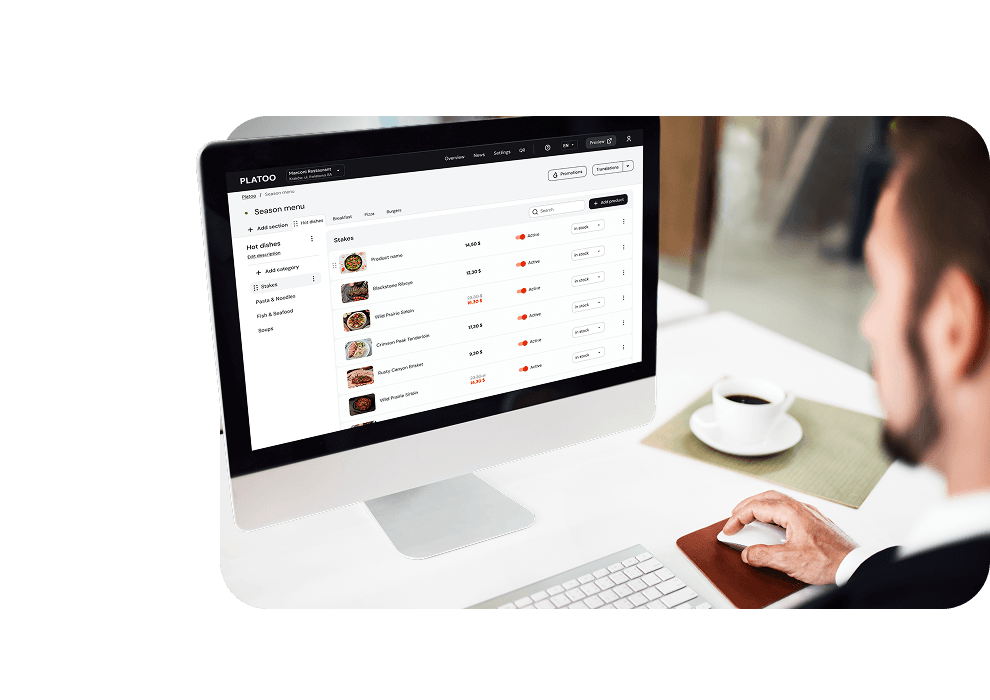
Platoo is a multilingual QR menu provider built specifically for EU restaurant operators. The system supports allergen management, multi-language switching, and GDPR-compliant analytics. The menu engineering principles in this article — item placement, visual highlighting, and description tools — are all configurable from a single management interface, with item-level performance data available to inform quarterly menu reviews and ongoing optimisation.
When to Use Food Photography (and When Not To)
Photography in a menu can significantly increase sales — or actively harm them. A well-executed photograph increases order likelihood by removing the guest's uncertainty about what they are getting. Poorly lit, badly styled, or over-processed photographs do the opposite, damaging perceived food quality. The image of a gleaming, colour-corrected "burger" that bears no resemblance to what arrives at the table has long since become a cultural shorthand for eroding trust.
The rule is simple: use professional photography, or use none.
For a printed menu, 1–3 photographs per page is the upper limit. More begins to resemble a chain restaurant catalogue. In a digital QR menu, a photograph per item is feasible and often beneficial, provided every image is consistent in lighting style and quality.
One poor photograph among a dozen good ones pulls the perception of the entire menu down.
Colour Psychology: The 3 Appetite Colours and How to Use Them
Research on colour and appetite consistently identifies three key colours: red, orange, yellow. This is why they dominate fast-food brand design.
For full-service restaurants, this does not mean the entire menu should be red.
It means using these colours as deliberate accents:
- a thin border around a Star;
- a coloured background behind a featured section header;
- a warm tint on category dividers.
These elements attract the eye and trigger appetite associations.
Other colours also carry their own signals:
- green — healthy eating, freshness, sustainability;
- blue — suppresses appetite and should be avoided in food contexts;
- brown and earthy tones — warmth, craft, artisanal quality, farm-to-table concepts.
White space — the absence of colour and element around an item — is equally important as a design tool.
Breathing room around a dish or block signals premium positioning and draws attention to it.
Measuring Menu Performance: The Quarterly Review You Cannot Skip
The menu engineering matrix is not a one-time exercise. Ingredient costs shift. Guest preferences change. A new seasonal item might quietly become a Star within a few weeks of launch. A regular quarterly review cycle is what separates operators who benefit from menu engineering permanently from those who do it once and drift back to instinct.
"A menu is not a document you finish. It is a system you run."
The Five KPIs That Matter Most
1. Contribution Margin per item
This is your primary profitability signal. Track it monthly and flag any item whose CM has dropped by more than 10% due to ingredient cost increases.
2. Item popularity index
Shows what percentage of all covers ordered a given item in the period. Recalculate your Star/Puzzle/Plowhorse/Dog classifications every 90 days — seasonal shifts move items between quadrants regularly.
3. Average check size by day and session
This is your headline revenue metric. A well-engineered menu should show gradual average check growth without price increases. If it is flat or falling, revisit the placement of your Stars and the descriptions of your Puzzles.
4. Category conversion rate (digital menus only)
Shows what percentage of guests who viewed a category placed an order from it. A category with high views and low conversion usually has a description or pricing problem — not a product problem.
5. Food Cost % trend
Ingredient prices change. A dish that was comfortably within its food cost target at the start of the year may drift into Dog territory by autumn if supply costs rose. Monitor monthly and act before the problem becomes structural.
For operators running a digital QR menu, KPI 4 and a significant portion of KPIs 1–3 are available directly from the platform's QR menu analytics dashboard without manual calculation. That is the structural advantage of digital over print: data collection happens passively, and your role is analysis rather than assembly.
Related reading
FAQ
Research and practical experience across the restaurant industry consistently show that menu engineering can increase gross profit per cover by 10–15% without raising prices, changing recipes, or increasing customer traffic. The mechanism is the reallocation of guest attention toward higher-margin items, not an increase in the total amount guests spend.
Divide the ingredient cost by the selling price and multiply by 100. Food Cost % = (Ingredient Cost ÷ Selling Price) × 100. For a full-service casual restaurant, the target is 28–35%. Example: ingredient cost €8.50, selling price €26. Food Cost % = 32.7% — within target, but approaching the upper boundary.
Yes. EU Regulation No 1169/2011 requires all food businesses serving non-prepacked food — including every restaurant, café, and bar — to provide information about the 14 major allergens in writing or in a written document accessible at the point of ordering. Specific implementation requirements vary by member state; consult your national food safety authority for jurisdiction-specific guidance.
Stars are items that are both highly popular and highly profitable — your best performers. Puzzles are equally profitable but underordered. For Puzzles, the typical actions are: improve their position in the menu, rewrite the description, have servers recommend them more actively. Moving a Puzzle to Star status through repositioning alone is one of the highest-ROI actions available to a restaurant operator.
Behavioural research recommends 5 to 7 items per category. More than 7 creates decision fatigue — guests tend to default to the cheapest or most familiar option rather than the item with the highest margin. Fewer than 5 can make the selection feel too limited. The 5–7 range optimises both guest satisfaction and order composition.
They can. QR menus enable real-time A/B testing of item placement and descriptions, instant updates when dishes sell out, and item-level analytics showing which dishes are viewed but not ordered — data that is impossible to gather from a printed menu. For EU restaurants, QR menus also significantly simplify allergen compliance and multi-language provision at near-zero marginal cost per additional language.
Sources: Kasavana, M.L. and Smith, D.I. (1982). Menu Engineering: A Practical Guide to Menu Analysis — origin of the menu engineering matrix · Wansink, Painter and van Ittersum (2001). Descriptive Menu Labels' Effect on Sales — Cornell Hotel and Restaurant Administration Quarterly · Cornell Food and Brand Lab study summary — descriptive menu labels increase sales by 27% · Cornell Chronicle — Diners spend more when menus don't use currency symbols (Yang, Kimes and Sessarego, International Journal of Hospitality Management, 2009) · Regulation (EU) No 1169/2011 on the provision of food information to consumers (EU FIR) · Regulation (EU) 2016/679 — General Data Protection Regulation (GDPR) · GoFoodservice — Restaurant Menu Design: The Ultimate Guide to Building a Better Menu · RestaurantLaunchpad — Restaurant Menu Engineering Guide · Fead — Restaurant Menu Design Tips · Quarter Rest Studios — How to Design a Restaurant Menu That Increases Sales · MenuHoster — Restaurant Menu Design Tips · Servd — Restaurant Menu Design Best Practices · Aveera — Restaurant Menu Design: How to Increase Sales and Profit · Inkohoreca — Restaurant Menu Design · WebstaurantStore — Menu Psychology: The Science Behind Menu Engineering · Popmenu — Menu Engineering · LightspeedHQ — Menu Engineering: How to Create a Profitable Restaurant Menu