
PDF Menu vs Digital Menu: A PDF Behind a QR Code Is Still a PDF
The scan is almost never the problem — what arrives after it usually is. A PDF menu and a digital menu compared on speed, mobile UX, EU accessibility law, languages, allergens, daily edits and analytics, plus how to migrate without reprinting a single QR code.
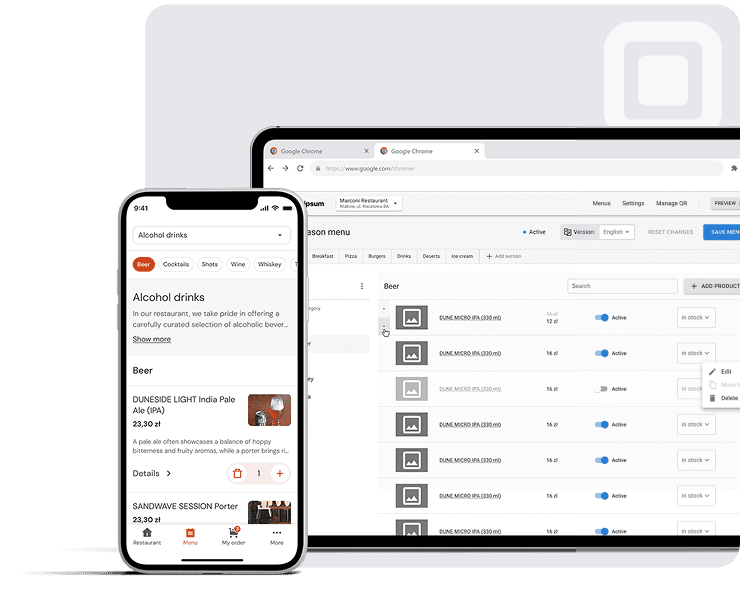
The Scan Works. The Menu Doesn’t.
A guest sits down, lifts a phone, points it at the small black-and-white square glued to the table, and the camera does its job. The scan is almost never the problem. What arrives after it usually is, because behind a great many QR code menus in Europe sits a PDF menu: a print file with a web address in front of it.
What the Sticker on the Table Actually Promises
The sticker promises a digital menu. Something current, readable on the device already in the guest’s hand, and changeable by the venue on the day. A dynamic QR code can support that promise, since it points at an address the operator still controls; a static code with the file’s location burnt into it cannot. Stack a link shortener or two on top and the guest walks through a redirect chain before a single word of the menu renders.
What the Guest Actually Receives
What renders is a document built for paper: a print-layout file that does not reflow, so the guest ends up doing the layout work by pinching. It is catalogued with office documents because that is what it is.
The sticker on the table promises a digital menu. A PDF behind it delivers a print file with a web address in front of it — finished, frozen, and laid out for a page size nobody is holding.
Three Things a File Can Never Do That a Page Does by Default
A file cannot change after publication; someone has to export and upload a replacement. It cannot adapt to the reader, whether that means larger text, a screen reader or a second language. And it tells the venue nothing about what was opened. A page does all three without being asked. That split — static file against live web page — runs through speed, layout, accessibility, language, allergens and the daily work of keeping the card current.
A File Versus a Page, Side by Side
Strip away the branding and the argument reduces to one structural fact: a static file versus a live web page. A PDF menu was finished at the moment it was exported. A responsive HTML menu page is assembled each time a guest opens it, from data the venue still controls.
What you are actually choosing between
A PDF menu — a static file
- ✕Finished at export; every change means producing a new file
- ✕A fixed A4 layout that cannot reflow to a phone
- ✕One document per language, and usually one QR code per document
- ✕Allergens as a printed footnote somebody must remember to edit
- ✕Reports a download count at most, and nothing about what was read
A digital menu — a live page
- ✓Assembled at every scan from data the venue still controls
- ✓Reflows to whatever screen it is opened on
- ✓One data set, a language switch, one QR code
- ✓Allergens as a field on the dish — filterable, translatable, read aloud
- ✓Reports item views, sessions and language mix
What Each Format Can Do for the Guest
The gap opens on the first gesture and never really closes: a responsive page reflows to the width it is given, and a file does not. Language works the same way. A multilingual menu page can switch on request; a PDF menu needs a separate file, and a separate QR code, for every language a venue wants to serve.
What Each Format Can Do for the Operator
Here the difference is time. A real-time price update on a page is a field edit that reaches the next scan. The same change to a PDF means re-exporting, re-uploading and hoping nothing else moved on the layout. The stakes are higher for allergens, where EU food information law places the declaration duty on the operator rather than on the document. An allergen declaration held as structured data travels with the dish. In a PDF it is a line of text somebody must remember to edit. A page also reports back — item views, sessions, language mix — where a file reports nothing.
Where the Two Overlap, and Where They Don’t
Both formats scan, and both can survive a weak connection. The overlap ends the moment the menu has to change.
Speed: What Happens in the First Five Seconds at the Table
A guest scans, glances at the screen, and either starts reading or puts the phone face down and waits for a server. That short window is where a PDF menu and a responsive HTML menu page stop behaving like two versions of the same thing. One has to arrive whole before it shows anything; the other can put the first courses on screen while the rest is still travelling.
The Thresholds Google Publishes, and Why They Describe Your Dining Room
Google’s Core Web Vitals documentation treats Largest Contentful Paint (LCP) as good when it occurs within 2.5 seconds of the moment the page starts loading, measured at the 75th percentile of page loads. The same documentation puts Interaction to Next Paint (INP) at 200 milliseconds or less and Cumulative Layout Shift (CLS) at 0.1 or less, again at the 75th percentile. Google also states that these metrics are measured separately for mobile and desktop, so a menu that is opened almost exclusively on phones is judged on its mobile field data, not on how briskly it opens on the office laptop.
Those numbers were written for search, but they read as service thresholds. Two and a half seconds is roughly the patience of someone holding a phone at a table with a waiter approaching.
2.5 s
The Largest Contentful Paint threshold Google treats as good, at the 75th percentile of page loads
Google Core Web Vitals
200 ms
The Interaction to Next Paint ceiling for a good rating, measured the same way
Google Core Web Vitals
0.1
The Cumulative Layout Shift ceiling for a good rating — nothing should move under a thumb
Google Core Web Vitals
Why a Print-Ready File Is Heavy by Design
A print-ready menu PDF carries embedded fonts and images at print resolution, because that is what a printer needs. Next to a web page that loads text first and brings images in progressively, it is heavy by design. Nothing is broken; the file is simply doing the job it was made for, on a device it was not made for. On congested venue Wi-Fi, file size turns directly into mobile data load time, and that delay lands on the first readable dish.
The Redirect Chain Nobody Printed on the Sticker
The sticker holds one URL, but the phone often walks a longer path. A typical scenario: the printed code points at a link shortener, which redirects to a cloud storage folder, which redirects again to a viewer. Each hop costs a lookup and a round trip. Redirect chains and link shorteners are invisible on the table tent, and they are charged entirely to mobile menu UX.
Mobile UX: The Guest Should Not Have to Do the Layout
A menu is read in the few minutes between sitting down and ordering, on a phone held in one hand, often at a table where three other people are talking. Everything about mobile menu UX follows from that setting rather than from how the document looks on a designer’s monitor.
A4 Proportions on a Five-Inch Screen
Google’s mobile usability guidance on web.dev states the mechanic plainly: a print-layout PDF does not reflow its text, so a layout built for an A4 page keeps A4 proportions on a five-inch screen. Text reflow on small screens is exactly what a browser does with a responsive HTML menu page, rewrapping lines to the width of the device. A PDF passes that work to the guest, who does it with pinch-to-zoom: enlarge, read two or three dishes, drag sideways to reach the price column, zoom out again to find the next category. The guest is, in effect, laying out the page by hand, once per course.
Search, Filter and Jump: Navigation a File Cannot Offer
A page can be questioned; a file can only be scrolled. Category anchors, a search field, a filter that narrows a long list to what someone can actually eat tonight — these are ordinary components of a web page and impossible in a flat export. The same structure carries further: semantic headings give a screen reader something to move through instead of one undifferentiated block, and a page can declare its text direction per language. A PDF preserves whatever the designer exported, including the mistakes.
Dim Light, One Hand, a Full Table
A typical scenario
Eight in the evening, a table of four, the lights down low and a phone at half brightness. The PDF opens at full-page width, so the first gesture is a pinch. Two dishes are readable at a time; the price column sits off the right edge, so the next gesture is a drag. By the time the fourth guest has found the vegetarian starters, the server has already passed the table twice.
Low light, a phone at half brightness, a table of four: in this typical scenario the difference between a page and a file is measured in how many gestures separate a guest from a price. There is a second reason to care. Under mobile-first indexing, the phone view is also the view that search sees.
Accessibility Is Now a Legal Surface, Not a Nice-to-Have
For years a menu that was hard to read counted as a service failure. In the EU it has also become a compliance question, and the answer depends less on the QR code than on what sits behind it.
What the European Accessibility Act Covers and From When
Directive (EU) 2019/882, known as the European Accessibility Act, became applicable on 28 June 2025 for covered products and services placed on the EU market, according to the text published on EUR-Lex. The technical yardstick is EN 301 549, the harmonised European standard that incorporates WCAG 2.1 Level AA success criteria for digital content and services. The constituency behind the rules is not marginal: Eurostat reported that in 2024, 23.9% of people in the EU aged 16 and over had a disability (activity limitation) — on Eurostat population figures, roughly 90 million people.
Why an Untagged PDF Fails a Screen Reader
A PDF menu exported from a design file is, structurally, a set of drawing instructions. Unless someone has tagged it, there is no heading hierarchy, no list semantics and no reliable reading order, so a screen reader may announce two columns interleaved, read prices adrift from the dishes they belong to, or find nothing at all if the page was flattened into an image. A responsive HTML menu page is built from the elements assistive software expects, which is why screen readers and semantic headings appear together in every audit checklist.
Text Resize, Contrast and Tap Targets on a Real Page
A fixed-layout file resizes as a whole: enlarge the type and the lines run off the screen, forcing horizontal panning. A page reflows. Contrast and tap-target rules are also testable on a page and largely unfixable in an exported file without reopening the original artwork.
| Requirement | Exported PDF menu | Responsive menu page |
|---|---|---|
| Reading order for a screen reader | Absent unless the file was tagged by hand; columns can interleave | Comes from the heading and list structure of the page |
| Text resize without horizontal panning | The whole page scales, so enlarged type runs off the screen | Lines rewrap to the width of the device |
| Contrast that can be tested and corrected | Baked into the artwork; fixing it means reopening the design file | A style value, changed once for every dish |
| Tap targets big enough for a thumb | There are none — a flat file has no controls | Set in the layout and testable on the device |
| A second language | A second file, and usually a second QR code | A switch over the same data |
Who Is Exempt, and Why the Exemption Is Narrower Than It Sounds
The Act exempts microenterprises — fewer than 10 employees and annual turnover or balance-sheet total not exceeding EUR 2 million — from its service obligations. A single independent cafe often qualifies. A small group, a hotel F&B operation or a venue inside a larger company usually does not, and the exemption covers the legal duty, not the guest who cannot read the menu.
Languages: One Page, Many Guests
Europe took 747 million international tourist arrivals in 2024, according to UN Tourism’s World Tourism Barometer — 1% above 2019 levels and 5% above 2023 — and Eurostat counted more than 3 billion nights spent at tourist accommodation establishments in the EU that year, a first, up 2.7% on 2023. Near a station, a beach or a cathedral, the guest at table six is often reading the restaurant menu in a language the kitchen does not speak.
747 M
International tourist arrivals in Europe in 2024 — 1% above 2019 and 5% above 2023
UN Tourism, World Tourism Barometer
3 bn+
Nights spent at EU tourist accommodation establishments in 2024, a first, up 2.7% on 2023
Eurostat, tourism statistics
76%
Of online shoppers prefer to buy where the information is in their own language
CSA Research, “Can’t Read, Won’t Buy”
Why Four PDF Files Are Four Maintenance Problems
A multilingual menu built from PDFs is four documents, four export cycles and usually four QR codes on the table. Change one price and the change has to be made four times, in four layouts. Miss one — a typical scenario — and the German version quietly prices a dish the Italian version no longer sells. On a responsive HTML menu page, language is a switch over one set of data: one edit propagates everywhere.
Keep the Dish Name, Explain the Dish
CSA Research’s “Can’t Read, Won’t Buy” survey of 8,709 consumers in 29 countries found that 76% of online shoppers prefer to buy products with information in their own language and 40% will never buy from websites in another language; among respondents with no English-language competence, that figure rises to 89%. The rule is not to translate everything. Keep the dish’s proper name, which is what the guest orders and what the waiter hears, and translate the description beneath it.
What Machine Translation May and May Not Touch
Automatic translation with human review is reasonable for descriptions and section titles. It is not appropriate for allergens, where a wrong word is a safety matter rather than a stylistic one. Right-to-left scripts and bidirectional text — an Arabic version beside Latin numerals — are a layout a fixed PDF cannot reflow; a QR code menu rendered as a page can set text direction per language and leave the prices alone.
Allergens: The Field That Must Never Be Out of Date
Of everything printed on a restaurant menu, the allergen line is the one where an out-of-date file stops being an inconvenience. A price that is a euro low costs the house a euro. An allergen declaration that describes last month’s recipe can put a guest in hospital.
What Regulation (EU) 1169/2011 Asks of a Restaurant
Regulation (EU) No 1169/2011 entered into application on 13 December 2014, and, as the European Commission sets out in its food information to consumers legislation, it obliges food business operators to declare 14 specified allergens in every dish, including non-prepacked food served in restaurants, cafes and canteens. The duty does not end there. For non-prepacked food, the regulation and the national competent-authority guidance built on it require the allergen information to be given in written form at the point of presentation: on the menu, a board, or an accompanying document. A verbal indication from a server is not sufficient.
A PDF can carry that written form. What it cannot do is guarantee that the written form in the guest’s hand is the current one.
Allergens as Structured Data, Not as a Footnote
In a PDF, allergens usually survive as a row of icons or a numbered key at the foot of the page, in type small enough that the information is technically present and practically unusable, and invisible to a screen reader. On a responsive HTML menu page each dish is a record, and the allergens attached to it are a field on that record. A field can be filtered, read aloud, translated with the rest of the page, and corrected in one place.
| Aspect | Allergens inside a PDF menu | Allergens as a field on the dish |
|---|---|---|
| Where the information lives | A numbered key or a row of icons at the foot of the page | A field on the record for that dish |
| How it is corrected | Re-open the layout, re-export, re-upload, re-check every link | Edit the field and save |
| How long a mistake survives | Until somebody notices and reissues the document | Until the next scan |
| What a screen reader announces | Usually nothing — small type, often flattened into an image | The allergens belonging to the dish being read |
| What the guest can do with it | Read it, if the type is large enough | Filter the menu down to what they can safely eat |
| In a second language | A separate file, translated and maintained separately | Translated with the rest of the record |
Why the Recipe Change and the Menu Change Must Be the Same Action
Kitchens change suppliers mid-week. A typical scenario: the usual dressing is unavailable, the substitute contains mustard, and the dish is served for three days before anyone re-exports the file. On a page, the edit that produces a real-time price update also rewrites the allergen field. One action, one record, live for the next scan. The gap opens when the allergen declaration is treated as a document to be reissued rather than data to be edited.
The Operator’s Day: A Price Change, a Sold-Out Dish, a New Season
A menu is not a document that is finished once. Suppliers raise prices, dishes run out mid-service, and the card has to turn over when the season does. The question is not whether the menu changes, but how much of the operator’s evening each change consumes.
The PDF Loop: Designer, Export, Upload, Re-Check Every Link
Editing a PDF menu usually means going back to the original layout file, which often sits with the designer who built it. Someone adjusts the figure, exports again, checks that nothing has reflowed, uploads the new file, and then verifies that every QR code on every table, plus the link on the booking page and in the aggregator listing, now points at the new version rather than the old one. That chain has to be walked again for a single corrected price.
Changing one price in a PDF menu
- Find the original layout file, which often sits with the designer who built it.
- Edit the figure and check that nothing else on the page has reflowed.
- Export a fresh PDF at print resolution.
- Upload it and replace the old file everywhere it is hosted.
- Verify that every table code, the booking page and each aggregator listing now point at the new version.
- Hope that no phone is still holding the previous file in its cache.
The Page Loop: One Field, One Save
A digital menu inverts the sequence. A real-time price update is a field edited on a phone and saved; the next guest to scan sees the new figure. Marking a sold-out item, what the kitchen calls 86-ing, is a toggle that greys the dish out for the rest of service and restores it the following day. Seasonal menu management becomes a matter of publishing prepared items rather than reissuing artwork.
The Hidden Cost of the Version Nobody Replaced
The expensive failure is rarely the edit itself. It is the copy that was never swapped: the old file still cached on a phone, the link in a directory listing nobody owns, the printed insert at the bar. With a file, correctness depends on chasing every copy. With a page, there is only one copy to correct.
What the Menu Tells You, and What It Tells Google
A PDF menu is a closed object. It is fetched, opened at the table, and then says nothing back to the kitchen. A responsive HTML menu page leaves a trail: which dish was opened, in which language, on which evening. According to the National Restaurant Association’s 2021 State of the Restaurant Industry report, 50% of full-service restaurant operators said they had added digital menu access via QR codes since March 2020, so many venues already run the scan without collecting anything from it.
Views per Dish, Not Downloads per File
Static file hosting can report how many times a document was requested. That is one number, and it covers the whole restaurant menu at once: the starters nobody reads and the dish the chef is proudest of are indistinguishable inside it. Menu analytics on a digital menu work at item level — views per dish, sessions per service, the order in which categories are opened. In a typical scenario, a high-margin dish sits low on a long page and is rarely opened; the fix is a position change, not a new recipe. With a PDF menu that pattern is invisible, because the file reveals nothing about what happened after it opened.
| What you want to know | A hosted PDF file | A digital menu page |
|---|---|---|
| How many guests opened the menu | A download count, inflated by re-opens and crawlers | Sessions, by day and by hour |
| Which dish drew the most attention | Invisible — the file is a single object | Views per item |
| Which language the room was reading in | Only by hosting one file per language and comparing counts | A language recorded on every session |
| Where a long category loses people | Nothing at all | The order in which categories were opened |
| Whether a change worked | Compare two download totals and guess | Compare item views before and after the edit |
Language Mix as a Staffing Signal
Language selection is operational data before it is marketing data. If a large share of sessions in one month switch to a single language, that is an argument about who should be on the floor that month, which supplier leaflets are worth translating, and which set menu deserves a second version. A QR code menu that records language mix turns a guess about the room into something a rota can be built on.
Reading the Data Without Breaking Privacy Rules
Useful menu data is aggregate and thin: counts of item views, sessions, languages. It needs no names, no accounts and no cross-site tracking, which keeps it far from the heavier obligations under EU data protection rules. Operators should still check what their platform sets in the browser, and whether consent is required before non-essential analytics run.
Indexed Is Not the Same as Useful
Google Search Central lists Adobe Portable Document Format (.pdf) as an indexable encoded file type, alongside Word, Excel and PowerPoint documents. A PDF menu can therefore be indexed. But the same documentation offers no guidance on mobile usability, structured data or rich results for PDFs; it treats them as plain binary documents.
What a Mobile-First Crawler Sees
Under mobile-first indexing, Google uses the mobile version of a site’s content, crawled with the smartphone agent, for indexing and ranking. A page built to be read on a phone is being assessed on its own terms. A document built for A4 is not.
Structured Data, Language Versions and Internal Links
An HTML menu page can carry menu and restaurant markup, declare its language versions, and link into booking, location and contact pages. A PDF carries none of that, and leads nowhere.
The Two Honest Objections: Weak Signal, and the Print You Still Need
Why the Basement Table Is the Real Test
Two objections to replacing a PDF menu with a hosted page deserve a straight answer. The first is connectivity. A file, once downloaded, sits on the phone; a page, in the usual telling, needs the network every time. The place to settle that is not the terrace with four bars of signal but the basement dining room with thick walls, the courtyard table at the edge of the router’s reach, or a full house on a Saturday sharing one access point.
A typical scenario
A Saturday service in a basement dining room with thick walls. Forty guests share one access point, and the courtyard tables sit at the edge of the router’s reach. A light menu page puts the first courses on screen while its images are still arriving. A print-resolution file has to land whole before it shows a single dish — and on that connection, it often does not land at all.
Caching, Lightweight Images and a Printed Fallback
The objection is real, but it applies to the file as well: the print-resolution weight described above is exactly what a congested connection handles worst, and a download that has to arrive whole cannot show the first dish early. A light page can meet the LCP target on an ordinary connection; a heavy file generally cannot. Offline caching of the menu, restrained image weight and a handful of laminated cards behind the bar close whatever gap remains.
One Source of Truth, Several Renderings
The second objection is print, and it stops being an objection once the architecture is right. The same record that feeds the QR code menu can produce a print-ready PDF export as an output: identical prices, identical allergens, the same seasonal dish, rendered for A4 instead of for mobile menu UX. What fails is the reverse arrangement, in which the document is the master and the digital menu is a copy of it that ages quietly between reprints.
Banquets, Wine Lists and Aggregator Uploads
Plenty of material still has to exist on paper or as a file. A banquet proposal goes to a corporate client by email. A long wine list is nicer to hold than to scroll. An aggregator may want the restaurant menu as an upload in a fixed format. Something has to sit in the window for passers-by. None of that argues for abandoning the page; it argues for generating each artefact from the same data.
When a PDF Is Still the Honest Answer
A small venue with a short card that changes rarely, straightforward allergen handling and a largely local clientele is not badly served by a document. The case here concerns venues whose menu moves.
Migrating Without Reprinting a Single QR Code
Most operators assume that leaving a PDF behind means new table tents, new stickers, new window decals. Usually it does not. Everything depends on what the printed pattern actually encodes.
Own the Domain the Code Points To
A static QR code stores the destination inside the pattern, so changing where it leads means reprinting. A dynamic QR code stores a short address that resolves to whatever the owner sets afterwards, and that is the practical weight of the dynamic QR code vs static QR code distinction. Ideally that short address sits on a domain the venue controls. A third party’s shortener adds the hops described above, and leaves the venue unable to repair a broken link if the provider disappears.
A Two-Week Checklist for a Small Venue
Two weeks, no reprinting
- Scan one of your own table codes and note where it actually goes: a file, a shortener, or an address you control.
- If it is an address you control, nothing on the table needs replacing — only what sits at the end of it.
- Build the menu as data: dishes, prices, descriptions and the 14 allergens as fields rather than as a footnote.
- Proof it on a phone, in the dining room, at the worst table in the house.
- Add the languages the room actually reads in, translating descriptions and leaving dish names alone.
- Point the address you control at the new page, and leave the old file reachable for a week.
- Walk the floor and scan every printed code, then check the booking page and every aggregator listing.
- Brief the staff on marking a dish sold out, then retire the old file.
In an illustrative example, a thirty-cover bistro spends the first week building and proofing the page, and the second week redirecting, testing every printed QR code menu on the floor, and briefing staff before the old file is retired.
Related reading
Frequently Asked Questions
No. The format is not banned; the obligations attach to content and access. Regulation (EU) No 1169/2011 requires food business operators to declare 14 specified allergens in every dish, including non-prepacked food served in restaurants and cafes, and Directive (EU) 2019/882 became applicable on 28 June 2025 for covered products and services. The exposure is a PDF menu assistive technology cannot read.
The complaints describe pinching, zooming and a file that opens in a viewer rather than a page. A QR code menu leading to a responsive HTML menu page removes most of them. The code was rarely the grievance.
Usually yes, provided the code points to a URL you control rather than to the file. Redirect that address to the new digital menu and the printed codes keep working.
Google’s Core Web Vitals documentation treats Largest Contentful Paint as good when it occurs within 2.5 seconds of when the page starts loading. On venue Wi-Fi, with a table waiting, that is the bar.
Not separate menus to maintain. One data set with a view per language keeps a multilingual menu’s prices and its allergen declaration in step. CSA Research’s 76% figure — shoppers who prefer information in their own language — does not stop at the door of a restaurant.
No, it is worse. An image carries no selectable text and nothing a screen reader can voice, so it fails WCAG 2.1 Level AA on the same grounds a flattened file does. Search engines read none of it either.
Sources: European Commission — Food information to consumers legislation · EUR-Lex — Regulation (EU) No 1169/2011 on the provision of food information to consumers · EUR-Lex — Directive (EU) 2019/882 (European Accessibility Act) · ETSI — EN 301 549, the harmonised European accessibility standard · W3C — Web Content Accessibility Guidelines (WCAG) 2.1 · Eurostat — Disability statistics: functional and activity limitations · Google — Core Web Vitals thresholds · web.dev — Responsive web design basics · Google Search Central — File types indexable by Google · Google Search Central — Mobile-first indexing best practices · UN Tourism — World Tourism Barometer · Eurostat — Tourism statistics · CSA Research — “Can’t Read, Won’t Buy” · National Restaurant Association — 2021 State of the Restaurant Industry