
How to Add a Restaurant Menu to Google Maps (Including Your QR Menu Link)
How to add a menu to Google Maps through your Google Business Profile: the menu link, the menu editor and menu photos compared, how to put your QR menu’s link on the map, Google’s rules for menu URLs, how to fix a wrong or outdated menu, and how long changes take to appear.
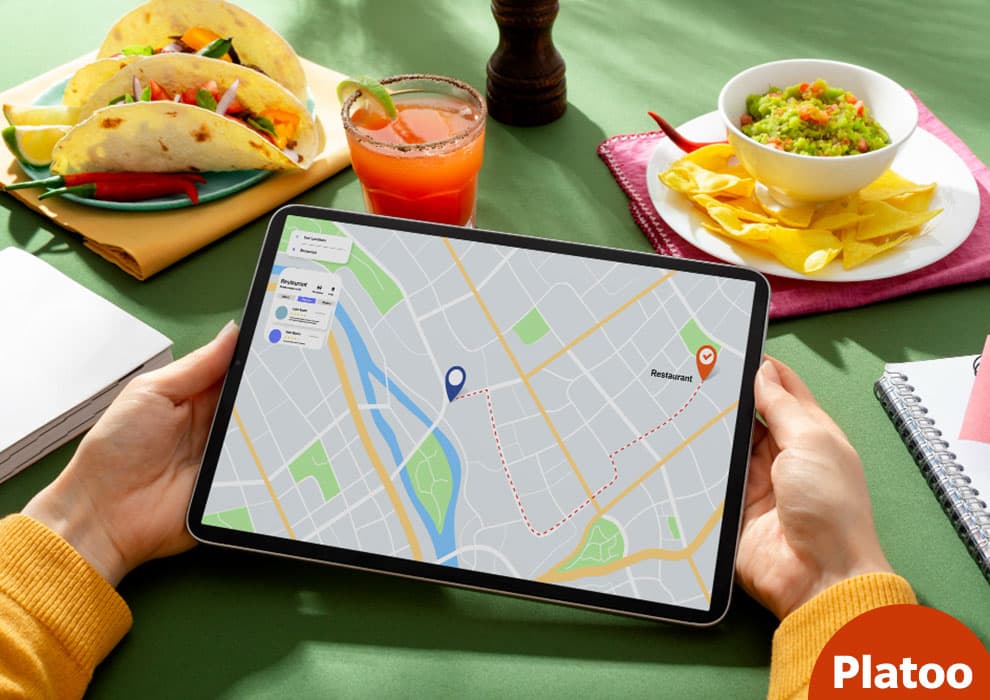
Where your menu appears on Google Maps and Search
A guest standing on an unfamiliar street often opens Google Maps before any website, taps a pin and decides whether to walk in. For tourists and international guests the restaurant menu on that listing is often the first impression.
Google Maps has no separate menu upload: everything goes through your Business Profile
There is no menu form inside Google Maps itself. What appears on the map is drawn from your Google Business Profile, which also feeds the knowledge panel in Google Search.
What guests see: the Menu tab, the menu link and menu photos
Guests see three things. The first is the Menu tab on the Business Profile. According to Google Business Profile Help (“About the menu editor”), food and drink businesses can list menu items with descriptions and prices, grouped into sections such as appetizers, mains and desserts. The second is a menu link that sends guests to a page you control. The third is images. The same help page says menu photos appear under the Menu tab, and that customers can add them too. Customer-uploaded menu photos are why an old price list can outlive the menu it shows.
Google Maps has no menu of its own. It displays whatever your Business Profile, and your guests, have given it.
What a menu does and does not do for local ranking
A menu is not a ranking switch. Google Business Profile Help (“Tips to improve your local ranking on Google”) says local results on Google Maps and Search rest mainly on relevance, distance and prominence, meaning how well known a business is, and that businesses with complete and accurate information are more likely to show up. A filled-in menu adds to that completeness and can support relevance. The same page states that there is no way to request or pay for a better local ranking.
Before you start: claim and verify your Business Profile
Every menu option in this guide is managed through Google Business Profile. Older guides call the service Google My Business, but the steps to add a menu to Google My Business are the same ones described here. Until you control the profile for your venue, you cannot add a menu link, list dishes or correct what Google Maps already shows.
Add or claim the profile
Many venues already have a listing built from public data. Claim it instead of creating a duplicate. According to the Google Business Profile Help page “Add or claim your Business Profile”, this is free of charge.
- Go to business.google.com/add, or open your venue in Google Maps and choose “Claim this business”.
- Search for the business name. Select the existing listing, or create a new one.
- Confirm the address, phone number and website, then continue to verification.
Google’s guidelines for representing your business say a restaurant, cafe or bar inside a hotel should have its own profile, so a hotel F&B outlet is set up separately from the hotel, with its own menu and hours.
Verification: methods and how long it takes
Google decides which verification methods to offer. According to the Google Business Profile Help page “Verify your business on Google”, options include phone or text, email, video and a postcard, depending on the business type and region.
The same page says review takes up to 5 business days. Postcard codes mostly arrive within 14 days and expire after 30 days, so enter the code promptly.
Pick a food and drink category so the menu options appear
Menu tools depend on the business category, so when you create or edit the profile, choose a primary category such as Restaurant or Cafe. Google’s help page presents the menu editor (Edit menu) as a tool for food and drink businesses. Under another category, such as a hotel or a shop, those options may be missing.
Four ways to add a menu to Google Maps, compared
There are four ways to get a restaurant menu onto a profile, counting an experimental AI shortcut that fills in the second. They differ in who keeps the content current.
| Method | What guests see | Upkeep |
|---|---|---|
| Menu link | A button opening your online menu | Edit your own page once |
| Menu editor | Items and prices inside Google | Retype every change |
| Menu photos or PDF | Images under the Menu tab | Re-upload after changes |
| AI menu creation (experimental) | A structured menu built from an upload | Review, then maintain by hand |
Menu link: one URL that always shows the current menu
The menu link (the menu URL field) sits in the Contact part of your profile, and a profile gets only one. That one slot should point at a digital menu you control: your own website’s menu page or a hosted online menu. The next section gives the exact path and Google’s rules for it.
Menu editor: items typed into Google itself
The menu editor (Edit menu) holds items, descriptions and prices typed into Google itself. According to Google’s help page on the menu editor, Google may also transcribe menu data from your website. Either way, a second copy now lives in Google.
Menu photos and PDFs
A photo or PDF uploaded under Photos of menu appears under the Menu tab, the same help page says. An experimental AI option goes one step further and builds a structured menu from that upload, which the owner reviews before publishing.
Which option fits a seasonal, multilingual or multi-outlet menu
A seasonal menu favours the link, because nothing in Google needs retyping. So does a menu in several languages, or a group whose outlets each have their own menu address. The editor suits a short, stable menu. Photos work best as a supplement.
How to add a menu link to Google Business Profile, step by step
Of the routes compared above, the menu link is the quickest way to add a restaurant menu on Google: one URL pasted into one field. The steps are the same whether the menu sits on your own website or on a hosted menu page.
On a computer, from Google Search
Sign in with the Google account that manages the profile, then search for your business name. Google’s help page on the menu editor gives the path: Edit profile > Business information > Contact.
- Open Edit profile.
- Go to Business information, then Contact.
- Find Menu link and paste the address of your menu.
- Click Save.
Google’s help page on editing a Business Profile says the Website field needs the full URL, including http:// or https://, and the same habit is sensible here.
In the Google Maps app
Google’s help page describes the route from a computer, and that is the simplest place to do it. In the Google Maps app, open your business while signed in to the managing account and look for Edit profile. Buttons can sit in a different place on a phone, but the Menu link (menu URL field) is the same one.
Owners with several venues should expect to repeat this for each one. Google’s help page on managing local business links states that these links are not available through the Business Profile API or spreadsheet upload.
A saved edit receives a status of Accepted, Pending or Not approved. According to Google’s help page on what happens to Business Profile edits, reviews usually finish within 10 minutes, though some take up to 30 days.
Google’s rules for a menu URL
You get one slot. Google’s help page on local business links allows a single link for a menu or list of services, compared with up to 10 links per category for bookings, reservations and orders.
Google’s Guidelines for representing your business add three conditions. A menu URL cannot be a direct link to a third-party ordering or delivery service. The menu must represent the items actually available, so a page listing only “popular items” should not be submitted. And an agency or vendor managing the profile needs the business owner’s consent before submitting a menu URL.
Why the description field is not the place for the link
The description is the most visible text box in the profile, so owners often paste the menu address there. Google’s help page on editing a Business Profile limits the description to 750 characters and says it must not contain URLs. The menu address belongs in the Menu link field, where Google Maps can treat it as a menu and not as a line of text.
How to add a QR menu or online menu to Google Maps: a QR code is just a link
There is nothing to “upload” when you add a QR menu to Google Maps. The square on your table is not a menu and not a file. It is a printed way of writing a web address, and that address is what Google wants.
What is actually inside a QR code
Think of a QR code as an encoded URL: text drawn as black and white squares for a camera to read. Scanning it only opens that link in the phone’s browser. The online menu itself lives on a web page.
According to DENSO WAVE’s history of the QR Code, the company released it in 1994, and “QR” stands for quick response. DENSO WAVE also records that it became an ISO international standard (ISO/IEC 18004) in June 2000, and that phones with a QR reader made scanning a code to reach a website widespread in Japan in 2002.
Two details matter in a dining room. DENSO WAVE’s version table runs from Version 1 (21 x 21 modules) to Version 40 (177 x 177 modules), so a longer address means a denser code. Its error correction feature can restore the data when a code is partly smeared or damaged: Level M, the most frequently selected, recovers about 15% of codewords, and Level Q about 25%. That is why a slightly scuffed table sticker still scans.
Find the URL behind your QR menu
Every QR menu (QR code menu) already has a link behind it. There are two ways to get it as text:
- Scan the code with your phone camera, let the menu open, then copy the address from the browser’s address bar.
- Log in to your menu service’s dashboard and copy the public menu link. Platoo, for example, gives each menu its own public URL, which the QR code encodes. There is no automatic sync with Google, so you paste it in yourself.
If the code opens a short link that redirects, check that it opens the menu directly in a browser, and use the address your menu service lists as the public link.
Paste that URL into the Menu link field
Google’s field accepts a URL, not a QR image. Open the Menu link field described in the previous section, paste the address and save.
Check one rule first. Google’s guidelines for representing your business say menu URLs cannot be direct links to third-party ordering or delivery services. A page that only displays dishes and prices is not an ordering service.
One link, two doors: the table and the map
Typical scenario
A seaside cafe has a QR code on every table. The owner scans it, copies the address and pastes it into the Menu link field. That evening a seated guest scans the code, while a tourist nearby opens the menu from the cafe’s Google Maps listing. Both land on the same page, including the translations a multilingual menu offers.
What happens when you change the menu later
Change a dish or a price in the online menu and both doors show the update. Nothing is re-uploaded to Google and no code is reprinted, because neither holds the menu, only its address.
The condition is that the link stays the same. If the address changes, reprint the codes and replace the Menu link in your profile.
Why an online menu works better than a paper menu on Google Maps
A printed menu and an online menu can carry the same dishes. On Google Maps they behave differently, because Google can link to a page but can only take in a picture, or a retyped copy, of a card.
A paper menu reaches Google as a photo, a PDF or a retyped copy
Google Maps cannot read a laminated card. According to Google’s Business Profile help page on the menu editor, a printed menu gets in through Photos of menu, as a photo or a PDF. The experimental AI tool on the same page still starts from that upload. Google’s help page on managing Business Profile photos and videos adds limits: JPG or PNG, between 10 KB and 5 MB, in focus and well lit.
A photo freezes the menu on the day it was taken; a link does not
Change a price and the photo is wrong until someone re-shoots and re-uploads it. Customer-uploaded menu photos of old menus stay too. Google’s help page on reporting photos says a review can take several business days and removal is not guaranteed.
A menu link opens whatever the page shows today.
Photo of a paper menu
- Shows the menu as it was that day
- A price change means a new photo and upload
- Text is locked inside an image
- One language per photo
Online menu link
- Shows the current menu on every visit
- A price change is made once, on the menu page
- Text is live on a page
- Can offer several languages
Readable on a phone, and in the guest’s language
On a phone, guests zoom and drag across a photographed A3 page, and a translation app has to work from a picture of the text. A digital menu is built for that screen. A multilingual menu, such as one built with Platoo, lets a visitor read the dishes in their own language.
Where the paper menu still earns its place
Print belongs at the table. Some guests prefer it, and it keeps working when the connection is poor. The two coexist: paper in the room, the link on the map.
Building the menu inside Google: menu editor, AI import and menu photos
The menu editor (Edit menu) stores a copy of your menu on Google: the Google Business Profile menu that guests see under the Menu tab.
Add sections and items by hand
The editor is organised as sections, such as appetizers, mains and desserts, with menu items, descriptions and prices inside each, according to Google’s help page about the menu editor.
- Search for your business name on Google while signed in, then select Edit menu above the results.
- Create a section, for example appetizers.
- Add each item with its name, description and price.
- Save and repeat for each section.
Some suggested items come from third-party providers, the same page notes; check the provider’s name before adding one. If saving fails, Google’s advice is to try again, wait 24 hours, and contact Business Profile Support if the error persists.
Create a menu from a photo or PDF with AI
Per the menu editor help page, experimental AI menu creation reads an uploaded photo or PDF and proposes sections, item names, descriptions and prices. The full menu has to fit on one page and in one photo, and you review the result before publishing. Check every price: a misread digit is published under your name.
Upload menu photos that stay readable on a phone
Menu photos are uploaded under Edit menu > Photos of menu and shown under the Menu tab, where guests’ own uploads sit beside yours.
Google’s help page on managing Business Profile photos and videos sets the limits: JPG or PNG, between 10 KB and 5 MB, recommended 720 x 720 px, minimum 250 x 250 px, in focus and well lit. The minimum is not enough for a dense page of text. Zoom in on your own phone before uploading.
The cost of a second copy: every price change is made twice
Everything built in the editor duplicates a menu you already maintain. Illustrative example: a cafe raises its coffee prices on Monday. Its own menu changes that morning. The Google copy changes only when someone opens the editor, and, according to the same menu editor help page, edits can then take 24 to 48 hours to appear on Google Maps and Search. Until then, guests see the old price.
Wrong or outdated menu on Google? Set the preferred menu source
Owners regularly find a menu on their listing that nobody on staff put there. First work out which source Google is showing, because each one is corrected in a different place.
Where the menus you never uploaded come from
Google’s Business Profile help page about the menu editor says Google may transcribe menu data from the business’s website, and that some suggested items in the editor come from third-party providers. Guests upload their own menu photos.
| Source of the wrong menu | Where you correct it |
|---|---|
| Several competing sources | Full menu tab |
| Transcribed from your website | Menu editor |
| Third-party links | Ask the provider named on the link to remove it |
| Customer-uploaded menu photos | Report to Google |
Choose your preferred menu in the Full menu tab
When Google finds multiple menu sources, the owner decides which one wins. According to the same help page, you open Edit menu in your Google Business Profile, go to the Full menu tab and select the preferred menu source. That menu then appears as public info on the profile.
For unwanted third-party links, Google’s help page on managing local business links says providers must remove their links within 5 days of receiving a removal request.
Fix or remove menu data Google transcribed from your website
Menu transcription from the website can go wrong. Google’s menu editor help page says wrong data is corrected by editing or deleting the menu item or section. To stop transcription altogether, Google points to an opt-out in Search Console. Treat it as a last resort: Search Console Help states that the opt-out from display on local search results applies to the whole domain, including subdomains, with existing content removed within 30 days.
Flag old menu photos uploaded by guests
Guest pictures under Photos of menu cannot be edited, only reported. Google’s help page on reporting inappropriate photos or videos says review can take several business days and removal is not guaranteed.
Several locations or hotel outlets
Per the menu editor help page, updating menus across multiple Business Profiles requires the Business Profile API (FoodMenus), and businesses that receive a menu through the API may not have the menu editor available in their Business Profile or in Search. Typical scenario: a hotel restaurant fed by a group system finds no Edit menu option, so corrections go through whoever runs the feed.
Menus for tourists on Google Maps: languages and allergens
A menu on Google Maps is often read by someone who does not speak the language it was written in. In tourist locations, that should shape what your menu link points to.
How much of the demand is international
No public figure answers that for a single venue, but the direction is clear. Eurostat Statistics Explained counts 3.00 billion nights at EU tourist accommodation establishments in 2024, up 2.2% on 2023. A Eurostat News release of 4 March 2025 adds that nights spent by international guests rose by 67.2 million (+4.9%), while domestic nights fell by 1.8 million. UN Tourism’s release of 17 September 2026 puts international arrivals in Europe up 3% in the first half of 2026.
3.00 billion
Nights in EU tourist accommodation, 2024
Eurostat
+4.9%
Nights spent by international guests, 2024
Eurostat
+3%
International arrivals in Europe, first half of 2026
UN Tourism
Why a linked multilingual menu beats one menu typed in one language
A restaurant menu typed into Google is one more copy to translate and keep in step. A linked online menu works differently: the menu URL field holds a single address, and the page behind it can offer a language switch. Platoo is one example of a service whose menus guests can read in several languages.
In CSA Research’s 2020 press release on its “Can’t Read, Won’t Buy” survey, 76% of online shoppers preferred products with information in their native language, and 40% would never buy from websites in other languages. Those respondents were online shoppers, not restaurant guests, but the instinct plausibly carries over (see what restaurants lose when tourists can’t read the menu).
Allergen information under EU rules and where it should live
According to EUR-Lex, Article 44(1)(a) of Regulation (EU) No 1169/2011 makes allergen particulars mandatory for non-prepacked food. The European Commission’s page on food information legislation confirms this covers restaurants and cafes and has applied since 13 December 2014. Article 44(2) lets Member States set the means and form of presentation, so the accepted format differs by country. Article 15(1) requires a language easily understood by local consumers.
Google’s Business Profile API reference for FoodMenus lists eight allergen values (dairy, egg, fish, peanut, shellfish, soy, tree nut, wheat). Do not assume those eight cover everything your national rules require you to declare. Keep full allergen information on your own menu, in the form your national rules accept, with translations for international guests. Hotel F&B managers should do the same for each outlet profile.
How long menu changes take on Google Maps and how to check your menu is live
Google reviews edits before guests see them, so saving is not publishing.
Expected timelines for each type of change
| Change | Expected wait, per Google Business Profile Help |
|---|---|
| Dishes edited in the menu editor (Edit menu) | 24 to 48 hours to appear on Google Maps and Search (“About the menu editor”) |
| A new menu link in the menu URL field, or another profile edit | Usually reviewed within 10 minutes; some reviews take up to 30 days (“Understand what happens to your Business Profile edits”) |
A two-minute check from a guest’s phone
Use a phone that is not signed in to your Google account. Find the restaurant in Google Maps, then search its name in Google Search and open the profile shown beside the local results. Tap the menu and confirm it opens the right page with current prices.
Optional: tell Google your menu URL with structured data on your website
On your own website, you can state the menu address. Google Search Central’s local business structured data documentation recommends a “menu” property for the Restaurant subtype, in JSON-LD: “For food establishments, the fully-qualified URL of the menu”. schema.org also defines a Menu type, built from hasMenuSection and hasMenuItem and attached through hasMenu. Both are hints: the same Google documentation does not guarantee a rich result in Search.
Related reading
FAQ: adding a menu to Google Maps
Yes. Google’s help page on adding or claiming a Business Profile states that the profile is free of charge, and you can start from “Claim this business” in Google Maps. The menu link, menu photos and menu editor are all part of that free profile.
Yes, as a link, not as an image. A QR menu is an online page, and the printed code only encodes its public address. Scan your own code, copy the address from the browser and paste it under Edit profile > Business information > Contact > Menu link, then Save. That path comes from Google’s menu editor help page.
The usual causes are access and category. Menu tools generally appear only for the account that manages a claimed and verified Google Business Profile, so check which account you are signed in with. They are also tied to food and drink businesses. If the primary business category is not Restaurant, Cafe or similar, the option may be missing.
Yes, as menu photos. Google’s menu editor help page describes Edit menu > Photos of menu, where you upload a photo or a PDF, and the files then appear under the Menu tab. A PDF is awkward to read on a phone, so treat it as a backup.
Google’s help page on Business Profile edits says edits are usually reviewed within 10 minutes, though some reviews take up to 30 days. The menu editor help page adds that menu changes can take 24 to 48 hours to appear on Google Maps and Search. Your profile shows the status of each edit.
First find its origin. An outdated link is replaced in the Menu link field. If Google found several menus, its menu editor help says you select the preferred menu source in the Full menu tab of Edit menu. Wrong items transcribed from your website are edited or deleted in the menu editor. An old photo uploaded by a guest can only be reported to Google.
Sources: Google Business Profile Help: About the menu editor · Google Business Profile Help: Tips to improve your local ranking on Google · Google Business Profile Help: Add or claim your Business Profile · Google Business Profile Help: Guidelines for representing your business on Google · Google Business Profile Help: Verify your business on Google · Google Business Profile Help: Edit your Business Profile · Google Business Profile Help: Manage your local business links · Google Business Profile Help: Understand what happens to your Business Profile edits · DENSO WAVE: History of QR Code · DENSO WAVE: QR Code standardization · DENSO WAVE: Information capacity and versions of QR Code · DENSO WAVE: Error correction feature · Google Business Profile Help: Manage your Business Profile photos and videos · Google Business Profile Help: Report inappropriate photos or videos on your Business Profile · Search Console Help: Opt out of display on local search results and other Google properties · Eurostat Statistics Explained: Tourism statistics, nights spent at tourist accommodation establishments (2024 data) · Eurostat News: EU tourism tops 3 billion nights in 2024 after strong Q4, 4 March 2025 · UN Tourism: International tourism holds steady with 0.4% growth in first half of 2026, 17 September 2026 · CSA Research: Can’t Read, Won’t Buy (B2C) press release, 7 July 2020 · Regulation (EU) No 1169/2011 on the provision of food information to consumers (EUR-Lex) · European Commission: Food information to consumers, legislation · Google for Developers: Business Profile API reference, FoodMenus · Google Search Central: Local business (LocalBusiness) structured data · schema.org: Menu