
QR Codes for Restaurants: Every Practical Use, What It Costs and How Many You Need
QR codes for restaurants, from the menu and Wi-Fi to reviews, ordering and pay at table: what each one costs, how many you need, how to print them so they scan, and which EU rules apply.
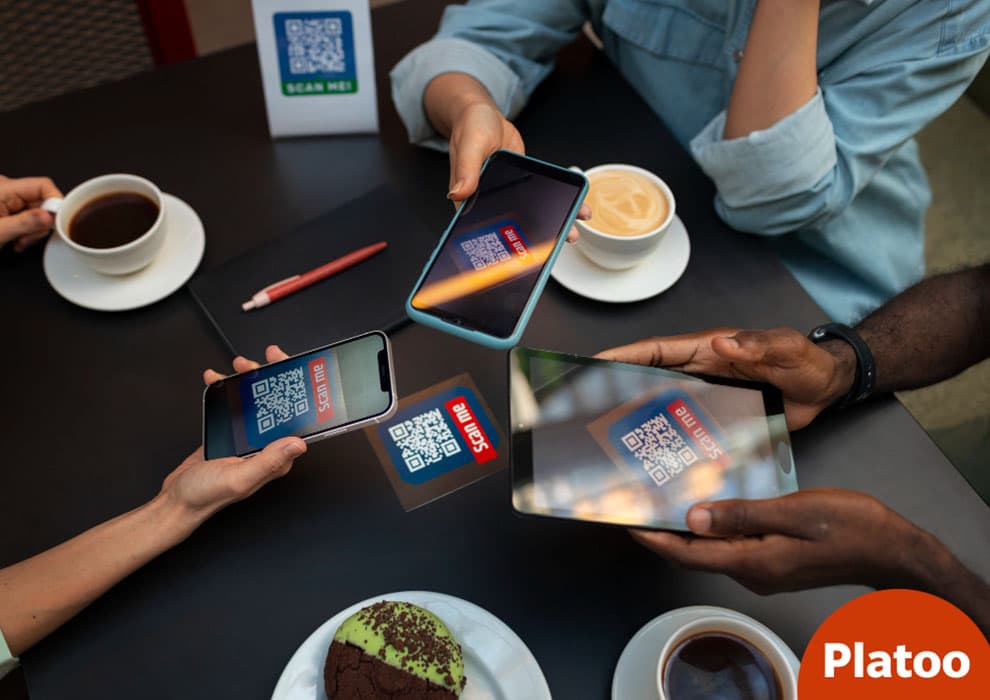
What a Restaurant QR Code Actually Does (and Why the Link Matters More Than the Code)
Typical scenario (illustrative): a café redesigns its website, the old menu address stops working, and every table tent in the room now leads to an error page. Then the Wi-Fi password changes, and the sticker by the door connects nobody. Both problems have the same root: the printed square was never the important part.
A restaurant QR code does one job. It hands a phone a short piece of data, usually a web address, and the phone opens it. DENSO WAVE announced the format in 1994, and according to the company’s own history it was approved as an ISO international standard in 2000. Built-in error correction lets a scratched or partly covered code still scan, provided the empty margin around it, the quiet zone, stays clear.
A QR code is only a printed address. Decide what lives at that address before you print anything.
This is why the static vs dynamic QR code choice matters. A static code stores its content directly in the pattern: the ZXing project’s documentation shows a Wi-Fi code carrying the password in plain text, which means a new password needs a new print. A code that points to a link you control lets the page behind it change while the print stays the same.
The cost of restaurant QR codes is rarely the code itself. DENSO WAVE declared it would not exercise its patent rights, which is why generators can be free. The money goes on the service behind the link, and on reprints when it is wrong. For menus specifically, our guide to how a QR code menu works covers what that service should include.
QR Codes for Restaurants at a Glance: Every Use
A busy café can show four or five codes before you reach a seat: a menu code on the door and the table tent, a Wi-Fi code by the till, a Google review QR code on the bill. Each came from a different decision, and each has a different cost.
As the first section showed, the code itself is rarely the expense. The money sits in what the code opens.
Some destinations cost nothing. Google Business Profile generates a review link and review QR code under Read reviews > Get more reviews, and has a Menu link field for food and drink businesses. Under the European Payments Council’s EPC QR guidelines, a code can pre-fill a SEPA Credit Transfer in the payer’s banking app, with beneficiary name, IBAN and optional amount.
Order-and-pay is where bills appear: platforms tend to charge per transaction on top of card processing, and POS integration with a kitchen display adds further costs. There is no neutral EU benchmark, so the table says “varies”.
| Use | What it opens | Tool needed | Typical cost | Static or dynamic | Where to place | EU rule to check |
|---|---|---|---|---|---|---|
| QR code menu | Menu in the phone browser | Digital menu service | Free or subscription | Dynamic | Table, entrance | Allergen information |
| Wi-Fi QR code | Joins the guest network | Any generator | Free | Static | Counter, table card | GDPR only if a login page collects data |
| Review QR code | Google review link | Google Business Profile | Free | Static | Bill folder, exit | Consumer rules on reviews |
| Feedback form | Private survey | Form tool | Free or varies | Either | Receipt, table | GDPR |
| QR code ordering | Order screen sent to kitchen | Ordering platform, POS link | Per-transaction, varies | Dynamic, per table | Each table | GDPR, allergen information |
| Pay at table, bill and tips | Payment page or bank transfer | Payment provider or EPC QR | Per-transaction, varies; EPC QR free | Dynamic, per bill | Bill, card terminal | Payment and consumer rules |
| Hotel room / room service QR | In-room menu, ordering | Menu or ordering platform | Subscription, varies | Dynamic | Room desk, door | GDPR if orders collected |
| Window / entrance | Menu or opening hours | Digital menu service | Free or subscription | Dynamic | Window, door | Allergen information |
| Takeaway packaging | Menu, reorder page | Menu or ordering platform | Printing, varies | Dynamic | Bags, boxes, flyers | GDPR if data collected |
| Events and loyalty / email sign-up | Sign-up or event page | Form or loyalty tool | Varies | Dynamic | Posters, receipts | GDPR consent |
The menu code comes first for almost every venue; the guide to QR menus for restaurants covers it in depth. The rest are optional, and the sections that follow take them one at a time.
The Menu QR Code: The One Every Venue Needs First
If a venue prints only one code, it should open the menu. According to the National Restaurant Association’s Restaurant Technology Landscape Report 2024, viewing the menu is the QR task US full-service guests accept most readily.
59%
would view a menu by QR
National Restaurant Association, 2024
48%
would order by QR
National Restaurant Association, 2024
46%
would pay by QR
National Restaurant Association, 2024
48.9%
of EU accommodation nights by international guests
Eurostat, 2025
In Europe, language matters. According to Eurostat, international guests spent 48.9% of the 3.14 billion nights in EU tourist accommodation in 2025. A QR code menu that switches language does more than a printed card, so a multilingual menu for tourists is often the first upgrade.
What matters is that the link opens a menu page you can edit, so the printed code survives new prices and seasonal changes. Display-only menu services such as platoo.io work this way: the code stays on the table while the dishes, prices and languages behind it change.
Keep a paper menu fallback for guests without a phone. What EU law requires on allergens is covered in our guide to the 14 allergens on your menu.
Put the same menu link on Google Business Profile
Google Business Profile gives food and drink businesses a Menu link field under Edit profile > Business information > Contact. Paste the same URL, and guests see one menu on Maps and at the table. Google says profile changes can take 24 to 48 hours to appear. Our guide on how to add a menu to Google Maps covers the other options.
Wi-Fi QR Code: Connect Guests Without Spelling the Password
Typical scenario: on a busy Saturday terrace, at least one table is squinting at a chalkboard, retyping a password that mixes a zero with a capital O. Staff get pulled over to spell it out, again with every new party.
A Wi-Fi QR code removes that exchange. According to the ZXing project wiki, which documents common barcode content formats, the code holds the network settings as a short string: WIFI:T:WPA;S:<network name>;P:<password>;;. Scanning it prompts the phone to join the network, and current phone cameras read it without an extra app.
The catch follows from that format: a QR code for the Wi-Fi password holds it in plain text inside the image. Change the password, and every printed code has to be reprinted.
Don’t confuse this with Wi-Fi Easy Connect. The Wi-Fi Alliance describes that standard as a way to onboard devices, for example through a QR code on the product. It is built for setting up hardware, not for handing a guest network to diners.
- Set up a separate guest network, away from your till and back office.
- Build the WIFI:T:WPA;S:...;P:...;; string with any generator or your phone’s share-network screen.
- Print the network name in plain text next to the code for guests whose camera fails.
- Reprint every copy whenever the password rotates.
- Never gate Wi-Fi behind a marketing opt-in.
That last step is a legal point. Under Article 7(4) of the GDPR, consent may not count as freely given when a service such as guest Wi-Fi is made conditional on data it does not need. A newsletter list built from emails demanded at the login screen rests on shaky ground.
Place it where guests sit or wait: a table card, a sticker by the counter, a sign at the entrance. Takeaway packaging rarely needs one, since those guests leave before connecting.
Review and Feedback QR Codes: What Google and EU Law Allow
A guest who had a good evening rarely looks for your review page on the way out. A guest who had a bad one often does. A code on the bill folder can close that gap, but these are two different tools with different rules.
Google review link: where to get it
You do not need a third-party generator. According to Google Business Profile Help, the profile itself produces a review link and a review QR code under Read reviews > Get more reviews. One catch: Google says the QR version can only be generated in a computer browser, not on a phone, so do it at a desk.
Expect some drop-off. Google notes that leaving a review requires the guest to be signed in to a Google Account, which a tourist on a travel SIM may not be. For how reviews fit into winning new guests, see our guide to restaurant customer acquisition.
Private feedback form: catch problems before they go public
A guest feedback form QR gives an unhappy guest a direct line to the manager while the problem can still be fixed. Keep it to three or four questions and say who reads the answers. What it must not become is a filter that sends happy guests to Google and quietly holds back everyone else.
| Aspect | Private feedback form | Public Google review link |
|---|---|---|
| What it is for | Fixing problems, internal follow-up | Public reputation, discovery |
| Who sees it | Your team only | Anyone searching for you |
| Allowed prompts | “Tell us how we did” | “Leave us a review”, asked of every guest |
| Forbidden practices | Using it to screen out critics before they reach Google | Rewards for reviews, fake or selectively filtered reviews |
What you must not do: incentives and fake reviews
Google Business Profile Help says Google strictly prohibits offering free or discounted goods or services in exchange for reviews, or for changing or removing negative ones. A free dessert for five stars qualifies.
EU law adds teeth. The Omnibus Directive (EU) 2019/2161 put submitting or commissioning false consumer reviews, and misrepresenting reviews, on the EU blacklist of unfair commercial practices. It also made one thing material information: a business that shows reviews must say whether and how it checks that they come from real customers. The rules have applied since 28 May 2022. In coordinated cross-border enforcement, maximum fines must reach at least 4% of annual turnover in the Member States concerned, or EUR 2 million where turnover data is unavailable.
QR Ordering and Pay-at-Table: Menu-Only vs Order & Pay
Once guests have scanned the menu, many ask why they can’t order and pay from the same screen. Some venues let them. A menu-only code is just a printed link. A code that takes orders and money is a front end for your till, your kitchen and your payment provider.
How QR ordering works (and what it needs behind the scenes)
With QR code ordering (order at table), the guest fills a basket on their phone and the order reaches the kitchen without a server writing it down. The system has to know which table sent it, send the ticket to a kitchen display or printer, and add it to the bill. POS integration takes most of the effort, which is also why a menu-only code can launch without it, as we explain in why a QR menu doesn’t need a POS.
Guests want it, but not all of them. In the National Restaurant Association’s Restaurant Technology Landscape Report 2024, willingness drops at each step from viewing to ordering to paying (see the stat cards above). At limited-service venues the figures were 57% to view, 52% to order and 48% to pay. Guest adoption by age shows the biggest gap. At full-service restaurants, 78% of Millennials would view the menu by QR and 65% would pay that way, compared with 30% and 16% of Baby Boomers. More full-service guests would pay on a tablet at the table (65%) than on their own phone.
How pay-at-table works in the EU: cards, wallets, SEPA Instant and the EPC QR code
QR code payment, or pay at table, usually opens a checkout that takes cards, Apple Pay or Google Pay. PSD2’s strong customer authentication rules, which ask for two of three factors such as a PIN, the phone itself or a fingerprint, apply to these payments. PSD2 also bans surcharges on regulated consumer cards and SEPA credit transfers, so the fee for paying by phone cannot be passed on to the guest as an extra charge.
Bank transfers are the newer route. The European Payments Council’s EPC069-12 guidelines define the EPC QR code, which pre-fills a SEPA credit transfer in the guest’s banking app with your name, IBAN, amount and reference. Supporting it is optional for payment service providers. Under Regulation (EU) 2024/886, euro-area banks had to be able to send instant transfers by 9 October 2025. Funds must arrive within ten seconds, and fees can’t be higher than for a standard transfer. Wero, the European Payments Initiative’s wallet, has announced QR payments at the till for 2026; check with your bank whether it is live in your country before printing anything.
Keep this in proportion. The ECB’s SPACE 2024 study found that 52% of point-of-sale payments in the euro area were still made in cash. Mobile apps and devices accounted for only 6%.
Tips and bill splitting
Bill splitting and tipping via QR are where pay-at-table earns its keep. According to the NRA report, more than 125,000 customers used First Watch’s QR bill-pay feature in one week across 420 restaurants to split bills and leave tips.
When order & pay is worth it, and when a menu-only code is enough
Operators are cautious too: according to the NRA, only 25% of US operators planned to put resources into self-ordering and payment tablets or kiosks in 2024. The code itself costs almost nothing; the platform, payment processing and integration behind an order-and-pay code do not, so ask for the full fee structure before you sign.
| Aspect | Menu-only QR | QR ordering | QR pay-at-table |
|---|---|---|---|
| Setup | Upload menu, print code | Table mapping, kitchen routing | Payment provider, bill sync |
| POS needed | No | Yes, or kitchen display | Yes |
| Cost model | Subscription or free tier | Platform fees, integration | Processing, platform fees |
| Staff role | Unchanged | Fewer order-takers | Fewer card-machine trips |
| Guest acceptance (NRA, full-service) | 59%; Boomers 30% | 48%; Boomers 21% | 46%; Boomers 16% |
| Best fit | Any venue, multilingual guests | Busy, high turnover | Groups, terraces |
A menu-only code, such as a multilingual platoo.io menu, can be updated without touching the till, and staff keep taking orders as before. Our complete guide to QR menus for restaurants covers the details.
Typical scenario (illustrative)
A 60-seat tourist bistro with a full POS and long waits for the bill may find pay-at-table worth it, while keeping card terminals for older guests. A 15-seat beach bar with two staff and many cash payers is better off with a multilingual menu-only code.
Beyond the Table: Hotel Rooms, Window, Takeaway and Events
Some of the most useful scans happen where no waiter is standing: in a guest room at 10 pm, on the pavement outside a closed restaurant, or at home when a customer spots your bag.
Hotel rooms and room service
Hotels feel the language problem first: as the Eurostat figures above show, about 1.5 billion nights in EU tourist accommodation in 2025 were spent by international guests. That is the case for a room-service QR code on the desk card. A printed folder in two languages cannot serve guests from a dozen countries; a multilingual menu for tourists on the guest’s own phone can. If room service runs by phone, print the number next to the code.
Entrance and window: sell to passers-by
A window or entrance QR reaches people deciding whether to come in, often before opening. Add opening hours and a clear call to action next to the code, such as “Scan for today’s menu”. Use the same menu link you added to Google Business Profile, so passers-by and searchers see one menu.
Takeaway packaging
A sticker on the bag or box linking to the menu or a reorder page turns a finished meal into the next order. Use a link you control rather than a fixed file, so the printed code keeps working when dishes or prices change.
Events and loyalty sign-ups
Tasting nights and live music suit a QR code for event or loyalty sign-ups. Keep the form short and the marketing box unticked: email marketing in the EU needs prior consent, with one narrow exception covered in the risks section below.
Typical scenario (illustrative)
a hotel F&B manager places a desk card in each room with a QR code to the multilingual room-service menu and the ordering phone number printed underneath. The restaurant window gets a sticker with opening hours and a code to the menu for passers-by. Takeaway bags carry a small code to the menu and reorder page. One menu, three entry points, nothing to reprint when it changes.
How Many QR Codes Should a Restaurant Have? One Code vs Many
Illustrative example: a café puts four codes on one table tent, for the menu, Wi-Fi, reviews and a promotion. Guests scan the wrong one and ask the server anyway. More codes rarely means more use.
One code per job, not one code per everything
The rule that works: each code does one job, and no surface carries more than two. Making codes costs nothing; the real cost is confused guests.
A short label beside each code (“Menu”, “Wi-Fi”, “Rate your visit”) matters more than design. So does knowing which codes are fixed. A Wi-Fi code is static and needs reprinting when the password changes; a menu code should point to an editable link, so the printed code survives every price change. Even separate lunch and dinner menus can share one QR code, so a menu change never means a new code on the table.
| Venue type | Starter codes | Typical placement |
|---|---|---|
| Café or bar | Menu, Wi-Fi, review | Table tent or sticker; Wi-Fi at counter; review on receipt |
| Full-service restaurant | Above + feedback, optional pay | Table tent (menu), receipt (review), bill folder (feedback or pay) |
| Hotel F&B | Above + room desk card | Tables and guest rooms |
| Takeaway | Menu, review | Window, counter, packaging |
Rule: one job per code, max two codes per surface.
Per-table codes: when they are worth the extra work
Per-table codes pay off only when the system must know where the guest sits: ordering, paying or calling staff to a table. For a display-only menu, the same code on every table means far less admin.
If you want to measure which spot works, split by location rather than by table: one code for the entrance, one for the tables. Remember that scans are not customers, since one guest may scan three times. Our guide to QR menu analytics explains which numbers are worth reading.
Where to Place Each Code and How to Print It So It Scans
Good QR code placement fails if the print is wrong. Most failed scans start at the printer: a code too small, curved around a cup or laminated under glare.
DENSO WAVE, which created the format, requires a blank quiet zone four modules wide on every side. Its Level M error correction, the most common choice, restores about 15% of codewords; Levels Q and H suit greasy or outdoor spots but enlarge the symbol. Short links help too, since symbols range from Version 1 (21x21 modules) to Version 40 (177x177).
| Placement | Minimum size (rule of thumb) | Scan distance | Material tips |
|---|---|---|---|
| Table tent | Small | Arm’s length | Matte card, dark on light |
| Sticker | Small | Arm’s length | Wipeable matte vinyl, Level Q/H |
| Entrance | Large | Pavement | Weatherproof, no glossy glare |
| Receipt | Small | Hand-held | Keep thermal print sharp |
| Packaging | Small–medium | Hand-held | Flat surface, keep quiet zone |
Size scales with distance. Add a short label, such as “Scan for the menu”. More in our QR code placement guide.
Risks: Quishing, Fake Stickers and Guest Data
A QR code is only as trustworthy as the surface it sits on. Anyone with a printer can cover a genuine code with their own.
Quishing: how fake QR stickers work and a 30-second daily check
The Australian Cyber Security Centre calls this quishing: phishing that uses QR codes instead of text links. In a consumer alert of 6 December 2023, the US Federal Trade Commission reported scammers covering legitimate codes on parking meters with their own. A restaurant table is as easy a target, and the stakes peak with payment codes, where a fake page can ask for card details at once.
The FTC advises inspecting the URL before opening a code found somewhere unexpected; the ACSC recommends reaching payment pages through a known, trusted address. Venues can make both checks easier:
- At opening, look for stickers placed on top of any code.
- Scan one code and confirm the domain is yours.
- Print your domain in plain text under every payment code.
- Laminate or engrave codes, so a fake must sit visibly on top.
Collecting emails via Wi-Fi or loyalty QR under GDPR and ePrivacy
The second risk is legal. Under Article 4(11) of the GDPR, consent must be freely given, specific, informed and unambiguous. As the Wi-Fi section noted, Article 7(4) casts doubt on consent extracted in exchange for guest Wi-Fi. Article 7(3) makes withdrawal as easy as giving consent, and Article 5(1)(c) limits collection to what the purpose requires. Article 13 obliges the venue to tell guests, at collection, who it is, why it wants the data, on what legal basis and for how long it keeps it.
Marketing adds a layer. Article 13(1) of the ePrivacy Directive requires prior consent for marketing emails, with one exception, the soft opt-in in Article 13(2): existing customers who gave their address during a sale can be emailed about similar products, with an easy opt-out every time. If the landing page sets non-essential cookies, Article 5(3) requires clear information and consent first. In practice that means four habits: ask only for what the purpose needs, never trade Wi-Fi access for an email address, use a separate unticked marketing box, and link a privacy notice wherever data is collected.
A Simple QR Plan for Your Venue
Most venues don’t need a wall of codes. They need a short sequence, in the right order.
Begin with the QR code menu, the use guests accept most readily. If you serve visitors, make it multilingual, since nearly half of the nights in EU tourist accommodation are spent by international guests. Add the menu link to your Google Business Profile too.
Next, a Wi-Fi QR code and a code for your Google review link, each with its own label.
Start with a menu code that works in every guest’s language, add Wi-Fi and reviews, and only then decide whether ordering and payment are worth the integration.
Menu design and allergens are covered in our guide to QR menus for restaurants. platoo.io is one option for the menu code: free to start, the team fills in your menu within 24 hours of registration, and the paid plan translates it into 40+ languages.
Related reading
FAQ
Six questions come up at almost every venue.
The code itself can be free, because DENSO WAVE, which created the format, does not exercise its patent rights and free generators are easy to find. Real costs sit behind the link: a digital menu, ordering or payment service, plus printed stands or stickers.
Yes, if your payment provider or ordering system supports pay at table. A QR code payment is only as good as that system. In the euro area, Regulation (EU) 2024/886 already requires payment providers to offer instant euro transfers around the clock; providers outside the euro area follow in 2027.
In your Google Business Profile, open Read reviews, then Get more reviews. Google generates a review link and a review QR code to print. Note that Google strictly prohibits offering free or discounted goods or services for reviews, or for removing negative ones.
Choose the Wi-Fi option in a QR generator. According to the ZXing project documentation, a Wi-Fi QR code stores a string like WIFI:T:WPA;S:[network name];P:[password];; which Android and iOS cameras read and offer to join. Reprint it whenever the password changes.
Mostly, but quishing is real. In a 6 December 2023 consumer alert, the US FTC reported scammers covering legitimate QR codes on parking meters with their own. Tables face the same tampered-sticker risk, so check codes daily and use tamper-evident holders.
Most venues start with one restaurant QR code for the menu on every table. Add codes only for a different job: Wi-Fi at the counter, a review code near the exit, pay at table if supported. One code per purpose keeps scans predictable.
Sources: DENSO WAVE — History of QR Code · DENSO WAVE — How to make a QR Code (quiet zone) · ZXing project wiki — Barcode Contents (Wi-Fi network config) · Google Business Profile Help — Create a Google link or QR code to request reviews · Google Business Profile Help — Add or edit menus for your business · European Payments Council — EPC069-12 v3.0 Quick Response Code: Guidelines to Enable the Data Capture for the Initiation of a SEPA Credit Transfer · EUR-Lex — Regulation (EU) 2016/679 (General Data Protection Regulation) · National Restaurant Association — Restaurant Technology Landscape Report 2024 (PDF) · Eurostat — Tourism statistics: annual results for the accommodation sector · Wi-Fi Alliance — Wi-Fi Easy Connect · Google Business Profile Help — Tips to get more reviews · EUR-Lex — Directive (EU) 2019/2161 (Omnibus Directive) · EUR-Lex — Directive (EU) 2015/2366 (PSD2) · EUR-Lex — Regulation (EU) 2024/886 on instant credit transfers in euro · European Payments Initiative — Wero key figures · European Central Bank — Study on the payment attitudes of consumers in the euro area (SPACE) 2024 · DENSO WAVE — Error correction feature · DENSO WAVE — Information capacity and versions of QR Code · Australian Cyber Security Centre — Quishing · US Federal Trade Commission — Scammers hide harmful links in QR codes to steal your information (6 December 2023) · EUR-Lex — Directive 2002/58/EC (ePrivacy Directive), consolidated text