
QR Menu for Restaurants: The Complete Guide for EU Venues
How QR menus work, how display-only, ordering and PDF versions differ, and which EU rules on allergens, accessibility and privacy apply — plus costs, choosing a platform, setup, QR placement and the metrics worth watching.
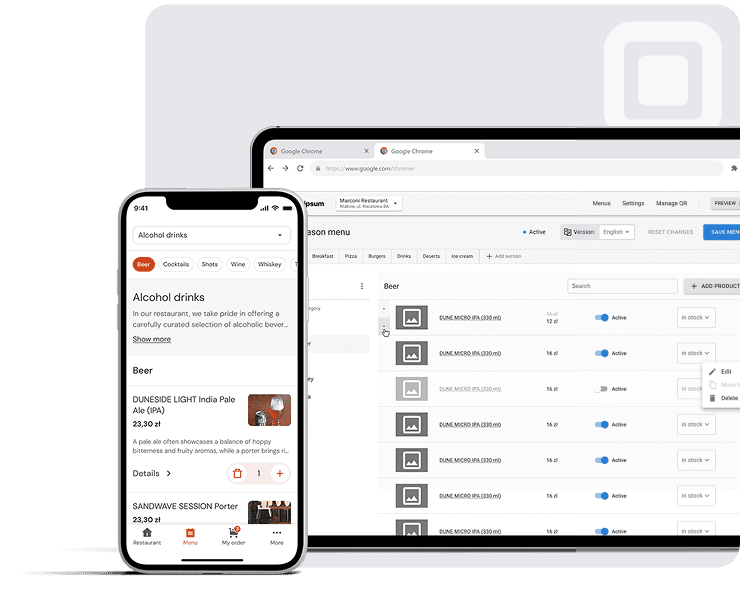
A QR code on the table has become a familiar sight in European dining rooms, yet the systems behind that small square differ far more than the sticker suggests. This guide is for restaurants, cafés, bars and hotel F&B teams across the EU weighing a contactless menu. It explains how QR menus work, how display-only, ordering and PDF versions differ, and which EU rules on allergens, accessibility and privacy apply. It then covers costs, choosing a platform, setup and the metrics worth watching.
What Is a QR Menu for Restaurants (and What It Is Not)?
Typical scenario: a guest sits down, notices a small card on the table and points a phone camera at it. Seconds later the menu is on screen, in a language they can read, with no app to install.
That is the core of a QR menu for restaurants: a QR code that opens a digital menu in the phone’s browser. The most common form is the display-only (view-only) QR menu, which replaces or sits alongside the paper menu. Guests browse dishes, photos and allergen details, then order from a member of staff as usual.
What it is not is a checkout. Some systems add ordering and payment at the table, but that is a separate category, covered later. A view-only menu changes how guests read the menu, not how service works.
The distinction matters. Many guests are happy to read a menu on their phone but still want a person to take the order, answer questions and suggest a wine. A browse-only menu fits both preferences, which is why it is usually the easiest place to start.
It also matters who is reading. Eurostat reports that international guests accounted for 48.1% of nights in EU tourist accommodation in 2024, which is why hotel F&B teams, bars and cafés in tourist areas often start here.
How a QR Code Menu Works: From Scan to Screen
The square on your table tent contains no menu. It holds a web address, and what guests see lives on a page you can change anytime.
- The printed QR code stores a link.
- The guest points their phone camera at it.
- The hosted menu page opens in the browser.
- One edit updates the menu at every table.
According to DENSO WAVE, the QR code (“quick response”) was developed in 1994 and became an ISO standard in 2000. Because the code carries only a link, it can be printed cheaply, placed almost anywhere and left alone while the menu behind it changes.
Static vs Dynamic QR Codes: Why the Link Matters More Than the Code
A static QR code encodes the final URL or file, so changing it means reprinting. A dynamic QR code points to a link you can redirect, allowing real-time menu and price updates with no reprinting. When comparing tools, check which kind they generate and who controls the link.
Do Guests Need an App or Wi-Fi?
No app. Apple Support confirms the iPhone Camera app reads QR codes natively: guests scan with their phone camera, tap the link, and the menu opens in the browser.
Connectivity is the real constraint. Eurostat reports that 93% of people aged 16–74 in the EU used the internet in the previous three months of 2024, but a cellar bar still needs Wi-Fi or mobile data. Page load speed on mobile decides whether guests wait or ask for paper.
The Three Types of QR Menus: Display-Only, Ordering and PDF
Two venues can put an identical-looking sticker on the table and give guests very different experiences. One opens a browsable menu, one takes orders and payment, and one downloads a scanned printout.
Display-Only: The Menu Goes Digital, Service Stays Human
A display-only (view-only) QR menu replaces the printed card and nothing else. It needs no POS system, integrations, ordering flow or payment processing: the guest browses, and the server still takes the order. It is the lightest option to launch. Multilingual services such as platoo.io sit in this category, adding translations, dish photos and allergen details per dish.
QR Code Ordering and Payment: When It Makes Sense
A QR code ordering (order & pay) system lets guests send orders to the kitchen and settle the bill from their phone, often through payments via QR with Apple Pay, Google Pay and a split-bill option. These setups usually depend on POS integration and change how your floor runs, so staff training matters: someone still has to explain the QR to guests who hesitate.
That hesitation is measurable. According to the National Restaurant Association’s Restaurant Technology Landscape Report 2024, 59% of US full-service customers would view a menu via QR code, but only 48% would order and 46% would pay that way. Limited-service customers show the same pattern: 57% would view, 52% order and 48% pay.
PDF Behind a QR Code: Why It Is Still a PDF
A PDF menu behind a QR code is the quickest workaround, but it remains a fixed-layout document. Guests pinch and zoom, cannot search or filter, and cannot switch language; replace the file and the link can break. On a phone it also tends to fail the reflow test explained in the EU rules section below. More on this in our comparison of a PDF menu versus a true digital menu.
| Aspect | Display-only | Ordering / pay | PDF behind QR |
|---|---|---|---|
| Setup effort | Low | High | Very low |
| POS needed | No | Usually | No |
| Translation | Built in on some platforms | Varies by vendor | One file per language |
| Allergen information | Per dish; filters vary | Varies by vendor | Static text only |
| Update speed | Instant | Instant, often via POS | Re-upload the file |
Benefits of a QR Menu Compared With a Paper Menu
Typical scenario: a supplier raises the price of salmon on a Tuesday, and your laminated menus still show last month’s figure. With a paper menu, you absorb the difference, correct it by hand or pay for another print run. That gap is where most of the benefits of QR code menus show up.
Instant Price and Dish Updates
A digital menu is edited in one place, and the change reaches every guest at the next scan. Real-time menu and price updates mean no reprinting when a dish sells out or the seasonal menu changes. You save on printing costs and cut the paper waste from menus that date within weeks.
Every Guest Reads the Menu in Their Own Language
According to the European Union’s official website, the EU has 24 official languages, and tourist areas welcome guests from far beyond them. A multilingual menu with automatic menu translation lets each guest read dishes, ingredients and allergens in their own language, which means fewer questions for staff during a busy service.
Photos and Descriptions That Help Guests Choose
Dish photos and clear descriptions help guests who don’t know a regional speciality order with confidence. They also give sides, desserts and drinks more visibility, which many venues use to raise the average spend per table.
| Aspect | Paper menu | QR menu |
|---|---|---|
| Update speed | Days to reprint | Live at next scan |
| Languages | Usually a few | Many, via translation |
| Allergens | Limited by space | Listed per dish |
| Photos | Costly to print | Easy to swap |
| Cost of a price change | New print run | No reprint |
None of this makes paper obsolete: some guests will always prefer it, and a printed card never runs out of battery. For a fuller head-to-head, see our guide to choosing between a QR code menu and a paper menu.
What a QR Menu Can’t Do: Honest Limitations
A QR code on the table assumes every guest has a charged phone, a signal and the willingness to use it. On any busy evening, one of those assumptions will fail for someone. The limitations are manageable, as we explain in what a QR menu can’t do, and why that’s fine.
Guests Without Smartphones or Who Prefer Paper
According to the National Restaurant Association, 30% of US Baby Boomers at full-service restaurants would view a menu via QR code, against 78% of Millennials. The same report found 64% of full-service customers would choose a restaurant offering traditional service from staff. Older guests matter in Europe too: Eurostat reports that people aged 65 and over made up 22.0% of the EU population at the start of 2025.
30%
Baby Boomers who would view a QR menu
National Restaurant Association
78%
Millennials who would do the same
National Restaurant Association
Keep 3–5 printed menus behind the counter, updated whenever the digital version changes.
Train servers to explain the QR code briefly and offer a paper menu without fuss.
Weak Signal, Dead Batteries and Glare
Basement dining rooms often have poor mobile data, so print your guest Wi-Fi name beside the code. On sunny terraces, glare makes screens hard to read. And no software fixes a flat battery, which is one more reason to keep paper within reach.
Tampered QR Stickers (Quishing) and How to Check
In December 2023 the US Federal Trade Commission warned that scammers cover legitimate QR codes, such as those on parking meters, with their own codes leading to phishing sites. Check table stickers at opening: look for a second layer, scan one and confirm the web address is yours.
EU Rules for QR Menus: Allergens, Accessibility and GDPR
Putting a menu on a phone does not take it out of the law. The rules for a printed card still apply, and a QR menu adds two questions: who can read it, and what the page collects.
Allergens Under Regulation (EU) 1169/2011: What Restaurants Must Show
According to EUR-Lex, Regulation (EU) No 1169/2011 has applied since 13 December 2014. It makes allergen information mandatory for non-prepacked food, and its definition of “mass caterer” names restaurants directly. Annex II lists the 14 allergens: cereals containing gluten, crustaceans, eggs, fish, peanuts, soybeans, milk, nuts, celery, mustard, sesame seeds, sulphur dioxide and sulphites, lupin and molluscs.
The European Commission’s guidance accepts “modern technology tools” as a way to provide this information. Where no national measures exist, it must be written, clearly legible and not given only on request. Member States can set their own rules on format, so check with your local food authority. In practice, show allergens on each dish and use dietary labels such as vegan, gluten-free or halal consistently.
Accessibility: WCAG Basics and Where the European Accessibility Act Fits
Eurostat reports that 23.9% of people aged 16 and over in the EU reported a disability in 2024. Some of your guests will use screen readers or larger text. The W3C’s WCAG 2.2 sets text contrast at 4.5:1 or higher, requires text that can be enlarged to 200 percent, and requires content that reflows at a width of 320 CSS pixels. A PDF menu behind a QR code usually fails that last test.
According to EUR-Lex, the European Accessibility Act (Directive (EU) 2019/882) covers named services such as e-commerce provided after 28 June 2025. It exempts microenterprises with fewer than 10 staff and turnover of no more than EUR 2 million. The text does not clearly settle whether a display-only menu is covered, so treat WCAG as good practice rather than a box to tick.
GDPR and Cookies: Why a Menu Page Should Not Track Guests
The GDPR’s Recital 30 names IP addresses and cookie identifiers as online identifiers. Under Article 5(3) of the ePrivacy Directive, as amended by Directive 2009/136/EC, non-essential cookies need consent before they are set. A guest who scans a code to check the soup of the day has not asked to be tracked. According to EUR-Lex, GDPR fines can reach EUR 20 million or 4% of worldwide turnover. Ask your provider which cookies the menu page sets, and check your national data protection authority’s guidance before adding any tracking tools.
| What the rules say | What a QR menu should do |
|---|---|
| 14 allergens, written (Regulation 1169/2011) | Tag allergens on every dish |
| Contrast of 4.5:1 (WCAG 2.2) | Dark text, plain background |
| Text resizable to 200% (WCAG 2.2) | Layout holds when text grows |
| Consent for non-essential cookies (ePrivacy) | No tracking cookies on the menu page |
Multilingual QR Menus for Tourists
A menu only works if the guest can read it, and in tourist areas that is far from guaranteed.
Illustrative example
A couple from Lyon sit down at a beach bar in the Algarve. The menu behind the table’s QR code is in Portuguese and English only, so they order the one dish they recognise and ask the server twice about nuts.
That friction is where a multilingual menu earns its place.
Why an English-Only Menu Is Not Enough in Europe
According to Eurostat, international guests accounted for 1.45 billion nights in EU tourist accommodation in 2024, almost half of the total. The European Commission’s 2024 Eurobarometer found that 59% of Europeans can converse in at least one foreign language, and only 47% speak English. An English-only menu misses more than half of Europeans.
1.45 bn
International guest nights in EU accommodation, 2024
Eurostat
59%
Of Europeans can converse in a foreign language
Eurobarometer 2024
47%
Of Europeans speak English
Eurobarometer 2024
E-commerce offers a useful analogy: CSA Research found that 76% of online shoppers prefer to buy when product information is in their native language. For what that gap costs a venue, see our analysis of how much restaurants lose when tourists can’t read the menu.
Automatic Translation: What Works and What Needs a Human Check
AI and machine translation of menus now handles most dish descriptions well enough for hotel F&B, room service, bars and cafés that change menus often. Display-only tools such as platoo.io translate the menu automatically into the guest’s language. The weak spots are regional dish names, wordplay and anything safety-related.
Allergen information needs a human check, because a mistranslated “may contain” is not a stylistic slip. Ask a native speaker, or a member of staff who knows the language well, to read the allergen lines before the menu goes live. Our guide to menu translation and multilingual UX covers review workflows, and our look at what AI in restaurants actually does well adds wider context.
Digital Menu Design: Structure, Photos and Readability
Mobile-friendly menu design comes down to categories, photos and readability. Short category tabs let guests jump to drinks or mains without endless scrolling. Each dish card needs a name, a short description, a price and allergen icons, plus a photo where it earns its place. For the psychology of grouping, see our guide on structuring a menu so guests don’t get lost.
Photos and design flourishes come at a price in loading time. Google’s web.dev guidance rates a Largest Contentful Paint of 2.5 seconds or less as “good”, and Google AdSense Help notes that 53% of mobile visits are likely to be abandoned when a page takes longer than 3 seconds to load. For a digital menu, that means compressed images and a light page rather than decorative animation.
Readability is also an accessibility issue. Beyond the contrast and text-size rules covered in the EU section, the W3C’s WCAG 2.2 asks for interactive targets of at least 24 by 24 CSS pixels, so tabs and buttons can be tapped without zooming.
| Screen element | Practical guideline |
|---|---|
| Category tabs | Short labels; tap targets of at least 24×24 CSS px (W3C) |
| Dish card with photo | Compressed images for fast loading |
| Allergen icons | Pair each icon with a text label, not colour alone |
| Language switcher | Visible on the first screen |
Menu engineering still applies on screen. Placing high-margin dishes first in a category, or suggesting a side on the dish card, supports upselling and average order value. Our article on building a restaurant menu that sells covers pricing and layout in more depth.
How Much Does a QR Menu Cost?
Quotes for a QR menu vary widely: some providers charge nothing, others a monthly subscription, others a setup fee plus hardware. The gap comes down to one question: do guests only read the menu, or also order and pay through it?
The floor really is free. DENSO WAVE, which developed the QR Code, chose not to exercise its patent rights, which is why free QR code generators are easy to find. Linking one to a PDF avoids reprint costs, but every price change means a new file.
| Tier | What you pay | What it involves |
|---|---|---|
| Free generator + PDF | Nothing | Manual file updates |
| Free display-only menu | Nothing on free plans | Editable online menu |
| Paid display plan | Subscription | Extra features, varying by provider |
| QR code ordering (order & pay) system | Setup, hardware, fees | POS integration, payment processing |
Display-only services, platoo.io among them, sit in the middle rows: the menu is edited online, and there is no till connection to build or maintain. Ordering systems cost more because they connect to the till and handle payments. Whether that extra spend pays back depends on how you measure return, which our look at the digital menu as a revenue-growth tool covers.
How to Choose a QR Menu Platform: A Checklist
Provider pages list dozens of features, yet a small café uses a handful. A better test is an ordinary busy service: what do guests and servers actually need?
Do You Need Ordering and a POS at All?
If your servers take orders, a display-only (view-only) QR menu does the job, with nothing to connect to your till. Ordering systems exist, but POS integration adds setup and dependence on your till provider. Here is why a restaurant doesn’t need a POS system to launch a QR menu.
Questions to Ask Before You Sign Up
Put these questions to every provider on your shortlist, and compare the answers side by side.
| # | Check | Ask |
|---|---|---|
| 1 | Languages | Is translation automatic and editable? |
| 2 | Allergens | Does it cover every allergen EU law requires? |
| 3 | Multiple menus | Can several menus share one QR code? |
| 4 | No POS needed | Does it work without integrations? |
| 5 | Load speed | Is it fast on mobile data? |
| 6 | No tracking cookies | Only after consent? |
| 7 | You own the QR link | Is the code dynamic and yours? |
| 8 | Free tier | What is free? |
| 9 | Support | Who answers problems? |
| 10 | Setup | Will they build the menu? |
Treat the answers on load speed, cookies and link ownership as deal-breakers rather than extras. A slow page loses guests at the table, tracking cookies bring the consent duties described in the EU rules section, and a code you do not control ties every printed table tent to one provider.
How to Set Up a QR Menu in 6 Steps (Including QR Placement)
QR menus rarely fail for big reasons. The usual culprits are a faint code, a link that breaks when the menu changes, or a sticker nobody notices. Here is how to set up a QR menu step by step and avoid them.
Steps 1–3: Structure, Translate and Tag Allergens
First, group dishes into clear categories and decide whether you need separate breakfast, lunch, dinner or seasonal menus; many platforms can run several menus behind a single QR code. Second, translate every dish and have a native speaker check your best sellers. Third, tag allergens on every dish, using the EU list set out earlier.
Steps 4–6: Generate, Print, Test and Brief Staff
Generate the code from a short, permanent URL. According to DENSO WAVE, codes range from Version 1 (21 x 21 modules) to Version 40 (177 x 177 modules), and more data means a denser, harder-to-scan code. Our guide to using a QR code menu maker compares tools; some providers will also build the menu and generate the code for you.
For QR code design, use dark modules on a light background and add a “Scan for menu” label. A small logo or a light scratch is usually fine: DENSO WAVE’s error correction restores roughly 7% to 30% of codewords, depending on level.
Pilot on one table before printing, and test with both iPhone and Android phones. Then brief servers on how to explain the code to guests.
Where to Place QR Codes: Table Tents, Stickers, Entrance, Hotel Rooms
For QR code placement, one QR code per table lets servers point to it; one per venue is simpler to replace. For a deeper, illustrated walkthrough of placement and sizing, see our QR code placement guide.
| Location | Do | Don’t |
|---|---|---|
| Table centre | Table tent or mounted holder | Flat sticker under plates |
| Entrance | Eye-level sign | Glossy sign facing sunlight |
| Bar | Sticker on counter edge | Tiny code among promotions |
| Hotel room | Desk card | Code buried in a folder |
Inspect stickers regularly for tampering, using the quick check described in the limitations section, and replace any that are faded or peeling.
QR Menu Metrics Worth Tracking
A QR code that nobody scans is decoration, and without data you cannot tell where it fails. Basic menu analytics answers two questions: is the code used, and how often is the menu actually opened?
| Metric | What it shows | What to do with it |
|---|---|---|
| Scans per day | How often codes are scanned | Compare busy and quiet days with covers served |
| Menu views | How often the menu is opened and browsed | A gap versus scans can point to slow loading |
| Scans per code (where supported) | Which placements get used | Move or reprint codes in spots that stay quiet |
Where a tool lets you run separate codes for different spots, the split can be revealing. If terrace table tents lag behind indoor ones, glare or poor QR code placement is a likelier cause than guest reluctance.
Privacy deserves the same attention as the counts. The cookie rules covered in the EU section apply to analytics as much as to the menu itself, so aggregate, cookie-free counting keeps things simpler. Ask your provider how scans and views are counted before you rely on the numbers.
For a fuller breakdown, read our guide to the QR menu metrics that matter for EU restaurants.
Getting Started With a Contactless QR Menu
A contactless QR menu does not have to change how your restaurant runs. For most independent venues, the sensible starting point is a display-only menu: guests read dishes, photos and allergens on their own phone, and servers still take the order. QR code ordering and payment suit venues ready to rework service around a till integration, while a PDF behind a QR code is a stopgap rather than a true digital menu.
Three first steps cover most of the work. Structure the menu into clear categories and tag allergens on every dish. Translate it, with a human check on anything safety-related. Then print a dynamic code, test it on a single table and brief your servers before rolling it out across the room.
You do not need a large budget to try this. One option is platoo.io, which is free to start and offers a free menu setup service that delivers a ready QR code within 24 hours. Whichever tool you choose, judge it against the checklist above rather than the length of its feature list.
Related reading
FAQ: QR Menus for Restaurants
Owners considering a QR menu for restaurants usually ask these six questions first.
Yes. Free QR code generators are widely available, so the code itself costs nothing. Menu pricing varies: some platforms offer free plans, others charge a subscription for extras. Check the free tier’s limits before printing.
No. Guests scan the QR code with their phone camera, and the menu opens directly in the browser — no app required. Most modern smartphones can scan QR codes natively through the camera app. Patchy Wi-Fi or mobile data is the likelier obstacle.
It works, but a PDF menu behind a QR code stays a fixed-layout document: guests pinch to zoom, cannot search, filter or switch language, and the link breaks if you replace the file. W3C’s WCAG 2.2 reflow criterion flags the problem on small screens.
Rarely. According to the National Restaurant Association’s Restaurant Technology Landscape Report 2024, 59% of US full-service customers would access the menu via QR code on a smartphone, so many would not. Keep some paper menus for guests who prefer them.
Generally, yes. Regulation (EU) 1169/2011 requires allergen information on the 14 listed allergens, and Commission Notice 2017/C 428/01 names “modern technology tools” among permitted means, alongside labels and verifiable oral information. National rules for non-prepacked food differ, so confirm the details with your local food authority.
Not for a display-only menu. It needs no POS system, integrations, ordering flow or payment processing: guests browse, and the server still takes the order. POS integration only matters if you choose an ordering or payment QR system, a separate category with more setup involved.
Sources: Eurostat — Tourism statistics: annual results for the accommodation sector · DENSO WAVE — History of QR Code · Eurostat — People online in 2024 · National Restaurant Association — Restaurant Technology Landscape Report 2024 · European Union — Languages · Eurostat — Population structure and ageing · EUR-Lex — Regulation (EU) No 1169/2011 on the provision of food information to consumers · EUR-Lex — Commission Notice 2017/C 428/01 on the provision of food information to consumers · Eurostat — Population with disability · EUR-Lex — Directive (EU) 2019/882 (European Accessibility Act) · EUR-Lex — Regulation (EU) 2016/679 (General Data Protection Regulation) · EUR-Lex — Directive 2009/136/EC amending the ePrivacy Directive · Eurobarometer — Europeans and their languages (2024) · CSA Research — Consumers prefer their own language · Google AdSense Help — Make your mobile pages load faster · DENSO WAVE — About the QR Code patent · DENSO WAVE — QR Code versions · DENSO WAVE — QR Code error correction